
Table of contents
- Quick nav
Images to PDF Online Free: Merge JPG/PNG into One File
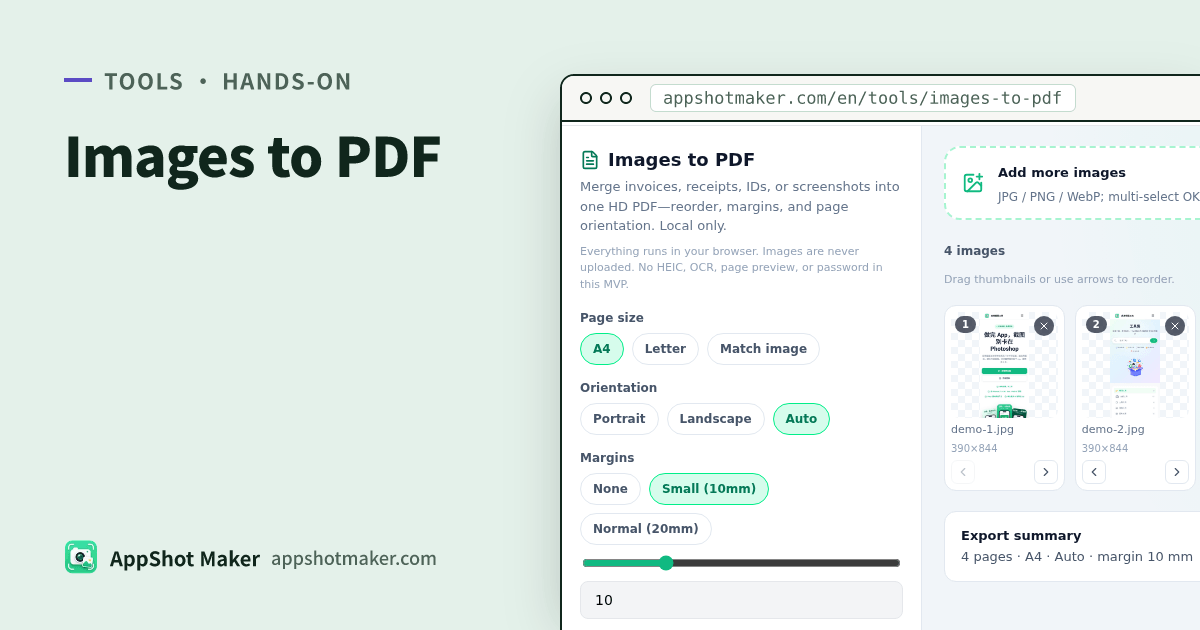
People searching images to PDF online usually need many JPGs or PNGs in one shareable PDF—expense packs, visa folders, design reviews. A dozen loose files are hard to flip; print shops prefer a single document. Images to PDF builds that file in the browser with open-source pdf-lib—free, images never upload.
Checked 2026-10-30. No OCR, no password encryption, no PDF page thumbnails.
When to use it
| Scene | Suggestion |
|---|---|
| Invoices / receipts / itineraries | A4 or Letter + normal margins |
| Screenshot pack for review | Match-image or Letter; avoid huge page counts |
| Cropped ID photos for lab sheets | Use /en/tools/id-print |
| One long image, not paged PDF | /en/tools/image-stitcher |
Hands-on
- Open /en/tools/images-to-pdf and multi-select, drag-drop, or paste.
- Reorder thumbnails by drag or arrows; remove, clear, sort by name, or reverse.
- Page size: A4 / Letter / Match image (1px≈1pt, long side clamped ~4000).
- Orientation: portrait / landscape / Auto (per image).
- Margins: none / small 10 mm / normal 20 mm, or a 0–40 mm slider.
- Fit is contain (letterbox, no crop).
- Export one PDF and watch progress N/M. Soft warnings appear above ~40 images or very high aggregate pixels.
JPEG/PNG embed when possible; WebP and others re-encode via Canvas to JPEG@0.92. GIF goes through a still path—animation is not kept.
Print vs fidelity
| Goal | Try |
|---|---|
| Office print | A4 + normal margins |
| US letter paper | Letter |
| Keep screenshot pixel feel | Match image; watch huge phone photos |
Related tools
- Redact first → /en/tools/privacy-redact
- Stitch a long strip first → /en/tools/image-stitcher
- ID print grids → /en/tools/id-print
FAQ
| Issue | Fix |
|---|---|
| Huge file / too many pages | Downscale sources; prefer A4/Letter + contain |
| Mixed orientation | Use Auto, or rotate sources first |
| Need searchable text | No OCR here—run a separate OCR scan workflow |
| HEIC rejected | Convert to JPEG/PNG on device first |
Takeaway
Images to PDF is the local “many images → one shareable PDF” step. For ID lab sheets or long stitches, use those dedicated tools. Chinese guide: /articles/images-to-pdf-merge-screenshots-guide.