
Table of contents
- Quick nav
Blur Screenshot Online Free: Mosaic, Soft Blur, or Black Bars
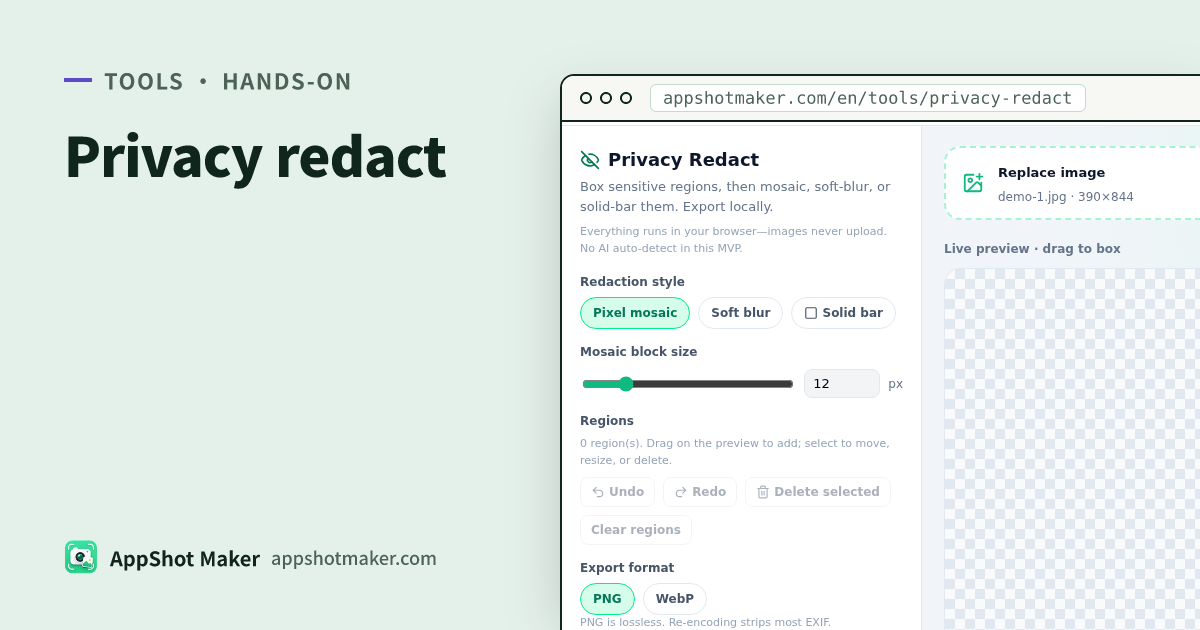
Searches for blur screenshot online (or mosaic / redact) usually mean: hide names, order IDs, faces, or chat text before you share. Privacy Redact lets you box regions and apply pixel mosaic, soft blur, or solid bars—images never upload.
Checked 2026-10-30. No AI face detection and no brush paint yet. Prefer solid bars for passwords, card numbers, and tokens—mosaic and blur can sometimes be reversed. Canvas re-encode usually strips most EXIF, but do not treat that as your only metadata wipe.
Good fits
| Scene | Mode tip |
|---|---|
| Test accounts / emails on store art | Mosaic or solid bar |
| Card numbers / addresses in support shots | Solid bar (clearly unreadable) |
| Faces you want to obscure but keep layout | Soft blur or coarse mosaic |
| Very long captures | Stitch or paginate first, then redact |
For broader store compliance writing see related privacy articles on the site; this page is the tool workflow.
Hands-on
- Open /en/tools/privacy-redact and upload or paste an image.
- Drag rectangles; move, corner-resize, or delete the selection.
- Choose pixel mosaic, soft blur, or solid near-black bar.
- Tune intensity: mosaic blocks 4–48 px; blur radius 4–40 px.
- Use undo/redo; the composite always rebuilds from the original + region list.
- Export PNG (preferred) or WebP with a quality slider.
Huge canvases auto-scale near ~8192px / ~16MP with a warning.
Mode chooser
| Mode | Look | Caution |
|---|---|---|
| Mosaic | Classic “censored” | Tiny blocks can stay guessable |
| Soft blur | Gentler | Strong zoom may still show shapes |
| Solid bar | Clearly unreadable | Can hurt layout aesthetics |
Habit: cover full numbers with bars; do not lightly mosaic only the middle digits.
Pipeline
- /en/preview or design export
- Redact /en/tools/privacy-redact
- Beautify or batch → /en/tools/screenshot-beautify / /en/tools/batch-processor
- PDF pack → /en/tools/images-to-pdf
Mistakes
| Issue | Fix |
|---|---|
| Missed status-bar notifications | Add another box over system UI |
| Readable mosaic | Larger blocks or switch to bars |
| Re-exporting from the clean original | Always ship the redacted final |
Takeaway
Privacy Redact is local box-select scrubbing before you share. Cover fully, make it coarse enough, export the final. Chinese guide: /articles/privacy-redact-mosaic-blur-screenshot-guide.