
Table of contents
- Quick nav
Passport Photo Print Layout: Tile ID Photos on 4R / A4 Free
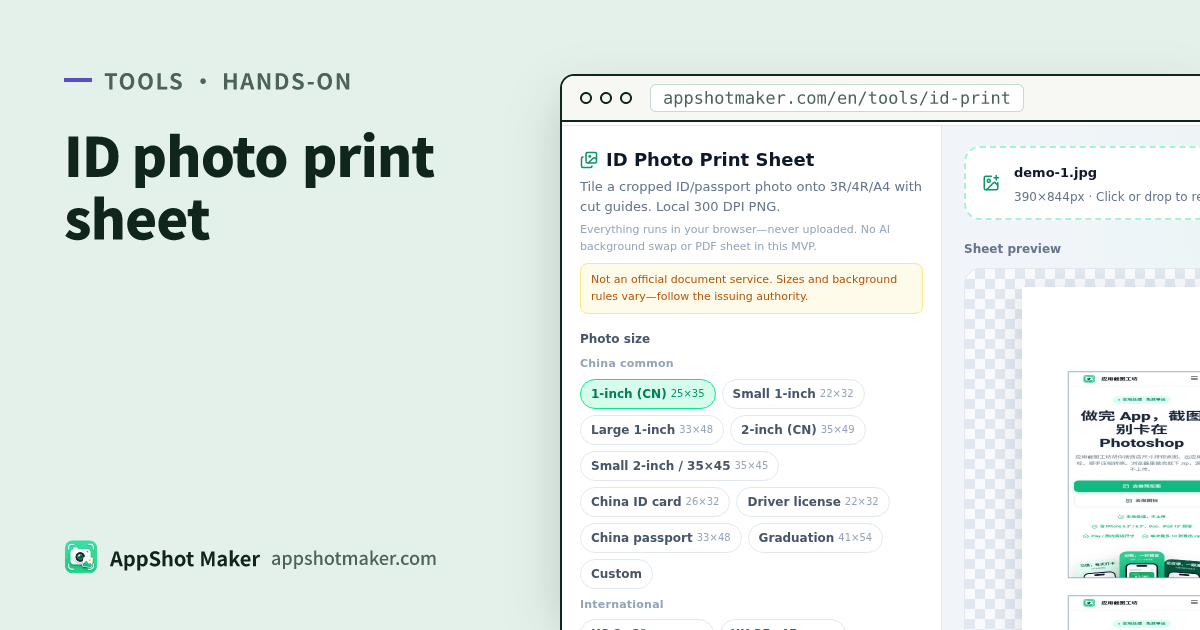
Searches for passport photo print layout (or an ID photo print sheet) usually mean you already have a cropped inch, 2×2″, or 35×45 mm photo—and now need to fill a lab paper size, add cut marks, and export print-ready resolution. ID Photo Print Sheet lays out a grid in the browser and exports a 300 DPI PNG—photos never upload.
Checked 2026-10-30. Sizes are common print references, not a government compliance checker, and there is no AI background swap.
Fit / not a fit
| Need | Use this tool? | Notes |
|---|---|---|
| Tile a cropped ID photo on 3R/4R/A4 for printing | Yes | This guide |
| Still need cut-out / blue-white background | No | Finish a standard ID photo first |
| Official visa/passport acceptance | No | Follow the issuing authority |
| Archive many scans as one PDF | Elsewhere | /en/tools/images-to-pdf |
Hands-on
- Open /en/tools/id-print and upload one already cropped photo.
- Pick a photo size: Chinese 1″ / 2″ variants, ID/driver/passport/grad; US 2×2″; UK/Schengen 35×45; CA 50×70; JP 35×45 & 45×45; or custom mm.
- Pick paper: 4R, 3R, A4, Letter; portrait or landscape.
- Set gap 0–10 mm and margin 0–20 mm; enable cut guides when the lab needs them.
- Read live tile count and pixels at 300 DPI. For denser packs (e.g. US 2×2″ on 4R), drop gap/margin toward 0.
- Export PNG; the filename encodes size + paper for the print desk.
Cells stretch-fill—upload the correct aspect ratio so faces do not distort.
Paper chooser
| Paper | Best for | Note |
|---|---|---|
| 4R (6″) | Most photo labs | Common default for 1″ packs |
| 3R (5″) | Small reprints | Fewer tiles |
| A4 / Letter | Home inkjet/laser | Use photo paper when color matters |
Related tools
- Multi-scan PDF → /en/tools/images-to-pdf
- Redact before sharing → /en/tools/privacy-redact
- Circular avatar (not ID) → /en/tools/rounded-corners
FAQ
| Issue | Fix |
|---|---|
| Face looks stretched | Crop to the target ratio before upload |
| Too few tiles | Lower gap/margin or use larger paper |
| Soft prints | Keep the 300 DPI PNG; avoid heavy re-JPEG |
| Treating the tool as visa approval | Always follow the authority’s own size rules |
Takeaway
ID Photo Print Sheet covers cropped photo → print grid + guides + 300 DPI. Background swap and legal acceptance are out of scope. Chinese guide: /articles/id-photo-print-sheet-layout-guide.