
Table of contents
- Quick nav
Circle Crop Online Free: Rounded Corners & Transparent PNG
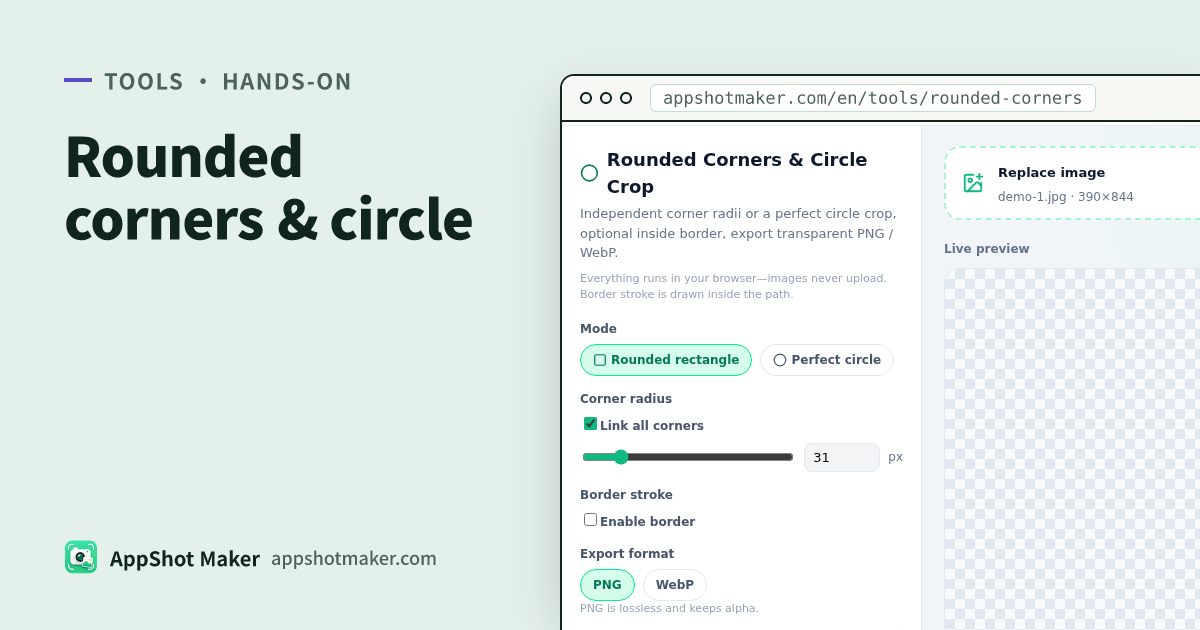
If you search circle crop online (or rounded corners with a transparent PNG), you usually need an avatar-ready circle or soft rectangle without a white box around it. Rounded Corners & Circle Crop does that in the browser and exports transparent PNG / WebP—free, no upload.
Checked 2026-10-30. This is general bitmap work. iOS app icon roundness is a system mask—do not over-fake rounded icons for store upload; use /en/icon and the site’s icon mask guides.
Two modes
| Mode | Result | Best for |
|---|---|---|
| Rounded rect | Unified or per-corner radii (px) | Cards, screenshot stickers, soft banners |
| Perfect circle | Hard center crop to min-side diameter; outside transparent | Avatars, round social crops |
Optional border: width + color, drawn inside the path (clipped 2× stroke) so the canvas size does not grow.
Hands-on
- Open /en/tools/rounded-corners and upload, drop, or paste.
- Choose rounded rect or perfect circle.
- Rounded mode: link “unified radius” or set TL/TR/BR/BL independently.
- Enable stroke when you need an outline; tune width and color.
- Check transparency on the checkerboard preview.
- Export PNG (lossless alpha) or WebP (quality slider).
Very large sources trigger the ~8192 / ~16MP scale warning.
Related tools
- Logo / icon master → /en/tools/logo-icon
- Multi-size icon packs → /en/icon
- Favicon ICO → /en/tools/to-ico
- Marketing window chrome → /en/tools/screenshot-beautify
FAQ
| Issue | Fix |
|---|---|
| No transparency on JPEG | Use PNG/WebP for alpha |
| Circle cuts important content | Circle is a hard crop—reframe first, or use rounded rect |
| Using output as the iOS store icon | Prefer /en/icon + system mask rules |
| Soft stroke | Slightly thicker stroke; avoid re-export loops from tiny previews |
Takeaway
Rounded Corners is the local “bitmap → transparent round / circle” cut. System icon masks and multi-size packs stay on the icon toolchain. Chinese guide: /articles/rounded-corners-circle-crop-transparent-png-guide.