
Table of contents
- Quick nav
Favicon Maker Online Free: Multi-size ICO from One Image
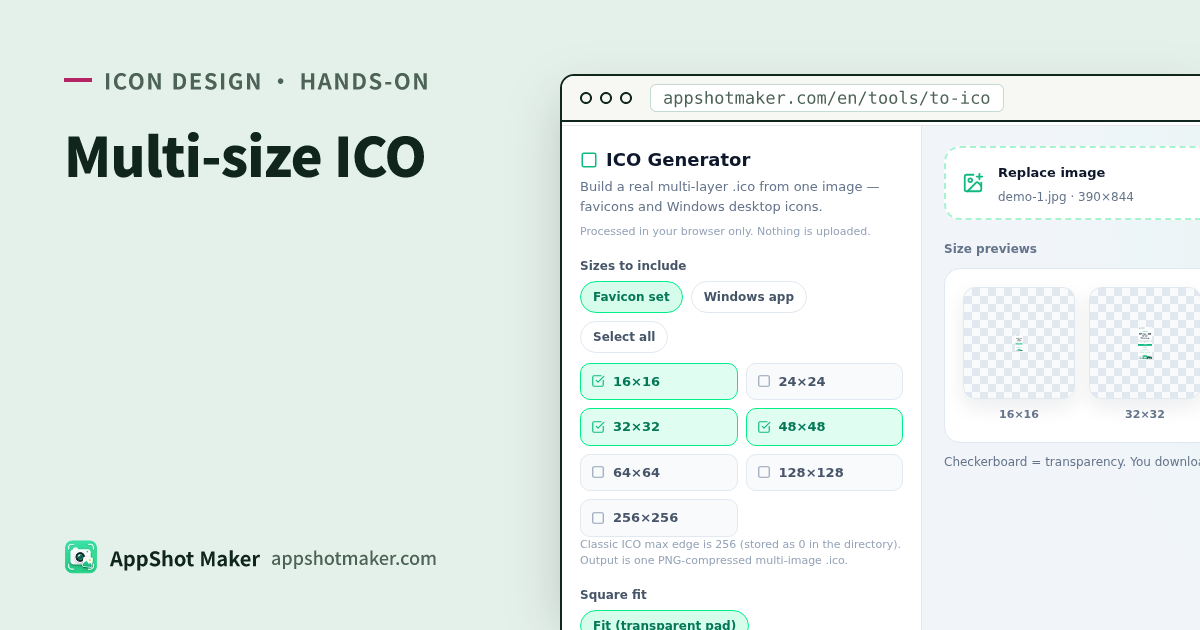
Searches for a favicon maker online (or PNG-to-ICO) usually need a real multi-size .ico—several PNG payloads in one container for browser tabs and many Windows apps—not a renamed single PNG. ICO Generator packs 16 / 24 / 32 / 48 / 64 / 128 / 256 in the browser—free, local only.
Checked 2026-10-30. Mobile store PNG packs stay on /en/icon; masters can start in /en/tools/logo-icon.
Why a real ICO
| Approach | Result |
|---|---|
| Rename PNG → .ico | Many hosts see one layer or fail |
| Standard ICO directory | Browser/Windows pick a fitting size |
| PNG size packs only | Use /en/icon; skip ICO |
Hands-on
- Open /en/tools/to-ico and upload, drop, or paste a square-ish image.
- Fit: contain (transparent pad) or cover (center crop).
- Tick sizes: 16, 24, 32, 48, 64, 128, 256.
- Presets: Favicon common (16+32+48) / Windows app (16+24+32+48+256) / all.
- Check per-size previews on the checkerboard.
- Download
favicon.ico/app-icon.ico/icon.ico.
Packing uses ICONDIR + entries + PNG payloads; width/height byte 0 means 256 (classic ICO).
Related tools
- Monogram master → /en/tools/logo-icon
- Mobile multi-size → /en/icon
- Round first → /en/tools/rounded-corners
Notes
| Point | Detail |
|---|---|
| 512+ | Classic ICO uses a 1-byte size field; this tool focuses through 256 |
| Legacy BMP ICO | Pre-Vista BMP path not included |
| Non-square sources | Pick contain vs cover deliberately |
Takeaway
ICO Generator turns one master into a standard multi-size .ico. Store icon packs stay on the icon toolchain. Chinese guide: /articles/ico-favicon-multi-size-generator-guide.
Ready to design your store screenshots?
Try AppShotMaker and turn raw captures into store-ready screenshots in minutes.
Previous
You're on the first article
Next
App Icon Maker Online Free: Monogram Logo PNG/SVG