
Table of contents
- Quick nav
Stitch Screenshots Online Free: One Long Vertical or Horizontal Image
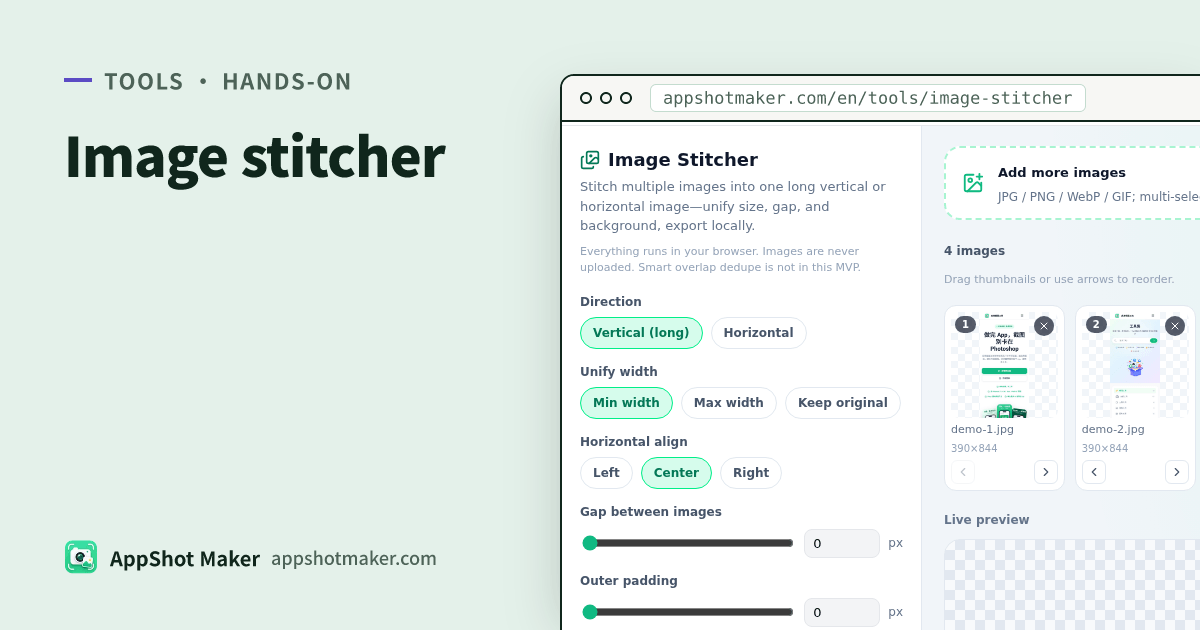
Searches for stitch screenshots (or a long-screenshot maker) usually mean: join support chats, feature comparisons, or before/after strips into one scrollable image. Image Stitcher supports vertical or horizontal layouts, edge unification, gaps, padding, and transparent backgrounds—free local PNG/JPEG export.
Checked 2026-10-30. No smart overlap dedupe and no hosted image CDN.
Stitch vs PDF vs beautify
| Goal | Tool |
|---|---|
| One scrollable long image | /en/tools/image-stitcher (this page) |
| Multi-page printable PDF | /en/tools/images-to-pdf |
| Single shot with chrome/title | /en/tools/screenshot-beautify |
| Sensitive pixels | Redact first with /en/tools/privacy-redact |
Hands-on
- Open /en/tools/image-stitcher and multi-select, drop, or paste.
- Reorder thumbnails; sort by name, reverse, remove, or clear.
- Direction: vertical (default long screenshots) or horizontal (timelines/comparisons).
- Size unify: scale to min/max edge, or keep originals; align start / center / end.
- Set gap, outer padding, background color; use transparent PNG when needed.
- Read live preview and final pixels; export PNG or JPEG (quality slider).
Canvases beyond ~16384px or ~16MP auto-scale with a warning—split very long chats.
Parameter tips
| Scene | Try |
|---|---|
| Phone long screenshots | Vertical + unify on shortest edge + small gap |
| Side-by-side comparison | Horizontal + center align + clear gap |
| Paste on dark docs | Transparent PNG |
| Chat apps that crush tall images | Split segments or switch to PDF |
FAQ
| Issue | Fix |
|---|---|
| Duplicate status bars at seams | Crop overlaps yourself—no smart dedupe here |
| White JPEG background | Use PNG for alpha |
| Huge files | Unify to a shorter edge or lower JPEG quality |
Takeaway
Image Stitcher joins many locals into one long image. Use PDF when you need pages. Chinese guide: /articles/image-stitcher-long-screenshot-guide.