
Table of contents
- Quick nav
Make an App Preview from Screenshots (886×1920 MP4)
Two truths before you hit export
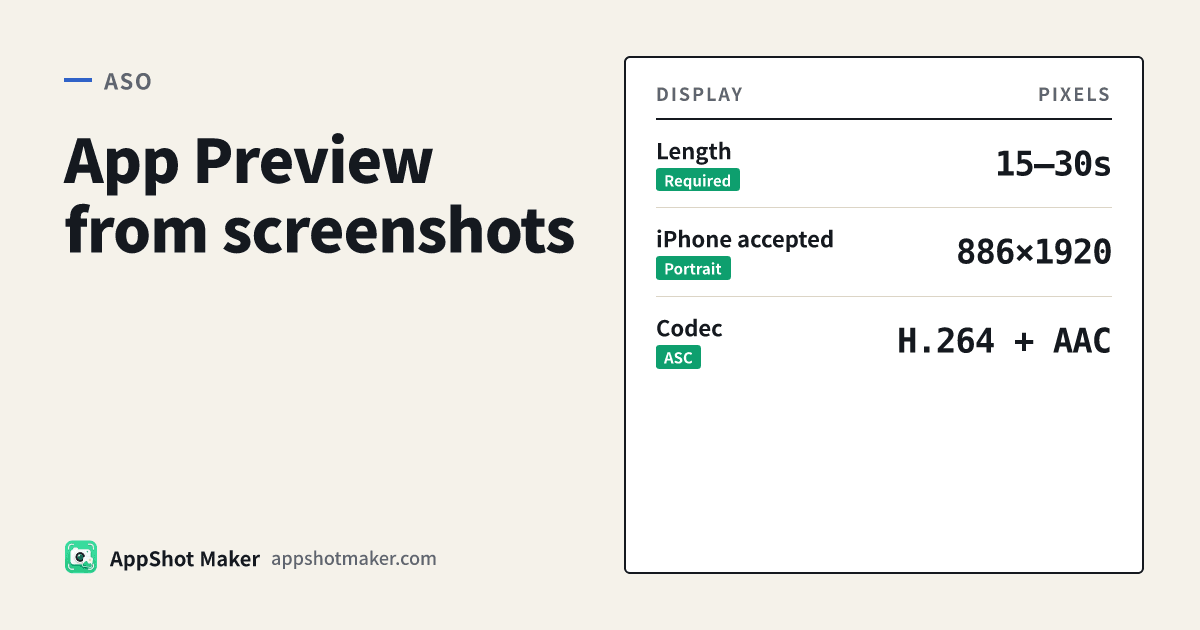
Meeting the pixel spec is not the same as clearing content review. Apple’s App Preview specifications (checked 2026-10-30) say previews are optional, up to three per device size and language, 15–30 seconds, ≤ 500MB, with iPhone’s current accepted portrait size at 886×1920—not the 1320×2868 still used for screenshots. Codecs: H.264 (.mp4 / .m4v / .mov) or ProRes 422 HQ.
Apple’s App Previews guide also expects footage of the app in use, not lifestyle shots of hands holding a phone. A screenshot slideshow can hit resolution, frame rate, and audio-track layout so you can storyboard fast. Reviewers can still ask for a real device capture if the cut feels like a marketing montage. We state that up front so “uploadable file” is not confused with “guaranteed approval.”
Google Play does not accept an MP4 upload. The preview field is a YouTube URL (public or unlisted, embeddable, monetization off). One master cut can go to App Store Connect as a file and to Play as a YouTube link.
What we shipped
/en/tools/app-preview stitches 3–8 PNG/JPG/WebP screenshots in the browser, optional captions and dissolves, clamps total length to 15–30 seconds, and exports 886×1920 · 30 fps · H.264 with a silent stereo AAC track (Apple expects a stereo layout). Encoding uses open-source mediabunny (MPL-2.0) + WebCodecs; nothing uploads. No stock music library—copyrighted audio is a common reason Play hides a preview behind ads.
We already covered preview vs screenshots, resolution specs, and product page header video. This piece is only the workflow: you already have store stills—how do you get a testable preview cut today?
Spec checklist
| Item | Apple rule (today) |
|---|---|
| Required? | Optional (≤3 per size / language) |
| Length | 15–30 seconds |
| iPhone accepted | 886×1920 portrait / 1920×886 landscape |
| Frame rate | ≤ 30 fps |
| Audio | Stereo layout; product page often muted → captions must carry the story |
| Poster frame | Default ~5 seconds; reset in Connect |
| Processing | Up to ~24 hours after upload |
Play: upload the same MP4 to YouTube, paste a single video URL (not a playlist). Only the first ~30 seconds autoplay.
Steps: screenshots → MP4
- Pick 3–6 UI proof frames from the stills you already designed for the listing—outcome first, then how it works. Skip empty states, pure settings, and poster-heavy creatives that belong on social, not in an App Preview.
- Write one muted-safe caption per beat (about 3–6 words of benefit, not “All new”).
- Open
/en/tools/app-preview, upload in story order, set total length (try 20 seconds), enable short dissolves, export default 886×1920. - Watch the whole cut muted.
- Split the upload path
- App Store Connect → version → App Previews and Screenshots → drop the MP4 → set poster frame.
- Play Console → YouTube first → paste the URL into the preview field; Feature Graphic remains the cover art.
If stills are the wrong size, fix them in batch export or the main screenshot generator before encoding—do not treat 1320×2868 still pixels as the video accepted size.
Slideshow vs device capture
| Situation | Prefer |
|---|---|
| Weekend test of three storyboards, no capture rig ready | Screenshot slideshow (this tool) |
| Gesture-heavy UI that stills cannot show | QuickTime device capture, then edit |
| README / marketing loop only | Screenshots to GIF—not an App Preview upload |
| Shared narrative for Apple + Play | One 20s cut with no copyrighted audio, then fork uploads |
Our bias: lock captions, order, and length on a slideshow first, then replace with device capture when you have time. A silent-clear 20s draft beats a polished 30s cut that never states the benefit.
Before you upload
- Length 15–30s; file well under 500MB
- Resolution is 886×1920 (or the accepted row for your target), not screenshot pixels
- Story works muted; no unauthorized music
- Subject is app UI, not hands-on-device B-roll
- Poster frame set (or you accept ~5s default)
- YouTube side: embeddable, not private, ads/monetization off
Captions and safe margins
Store pages often autoplay muted, so captions are the voiceover. Rules we use when exporting test cuts:
- One line per beat, sized for a phone holding 886px-wide video—not for your laptop preview.
- Keep type out of the Dynamic Island and home-indicator bands; this canvas is an accepted video size, not a framed marketing board.
- No prices, flash sales, or ranking boasts—they age poorly and invite review friction.
- Simple dots or arrows are fine to explain a tap; do not invent gestures the app lacks.
Still storyboarding? Lay five frames on Drawnix, export stills, then encode—cheaper than re-encoding every copy tweak.
When to use GIF instead
| Output | Use | App Preview? |
|---|---|---|
| This tool’s MP4 | Connect preview well / YouTube → Play | Size/container can pass; content must still feel in-app |
| Screenshots to GIF | Site, README, social loops | No |
| Product page header 3840×1646 | Top creative slot | Different spec—see header video tutorial |
Keep folders separate (preview-886/, gif-demo/, header-21x9/) so you never upload the wrong file.
Size rejections → revisit the preview resolution guide. Deciding whether video is worth it → preview vs screenshot conversion.