
Table of contents
- Quick nav
Batch Rename Images Online Free: Preview Names, Download a ZIP
What “batch rename images online” is really solving
A simulator dump or a multi-size export leaves you with IMG_8831.PNG, Simulator Screen Shot ….png, and three locales tangled together. Before App Store Connect or Google Play, you want one prefix, frame order, clean extensions—not twenty manual renames in Finder.
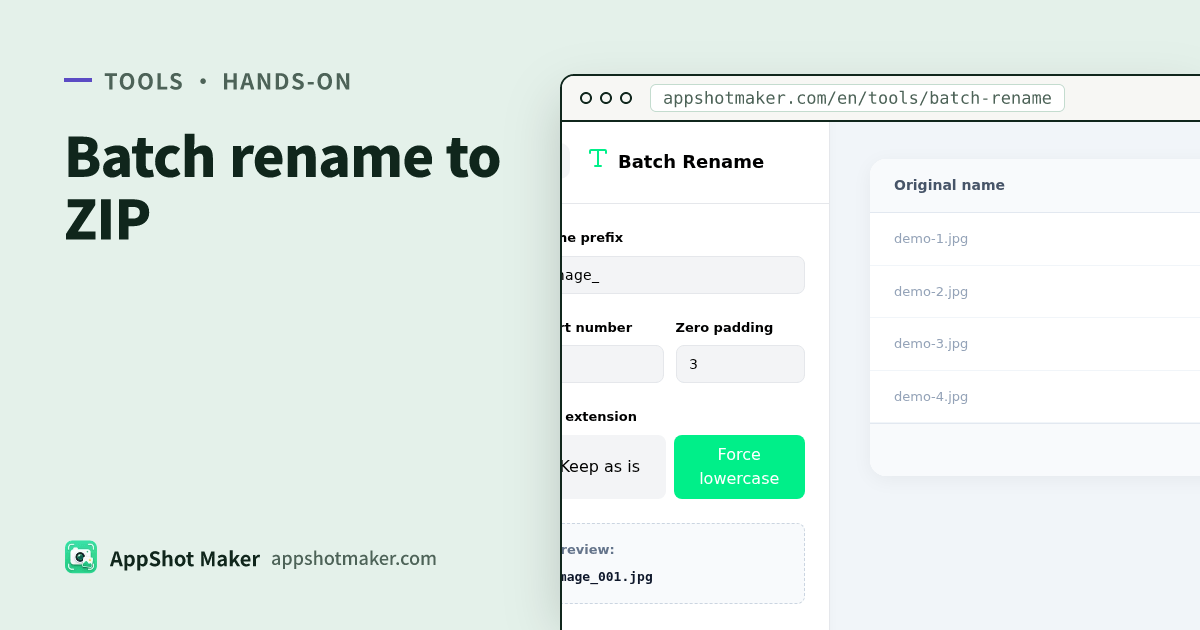
Batch Rename stays in the browser: set prefix + index rules → review an old→new table → download renamed_files.zip. Nothing uploads. Checked 3 Nov 2026.
Important: the web page cannot rewrite names on disk
| Approach | What you get | Best for |
|---|---|---|
| This tool’s ZIP | Renamed copies; originals stay put | Trying a pattern safely, handing files to a teammate |
| Finder / Explorer | In-place rename on disk | One local library you already trust |
| Desktop bulk renamers | Can write disk; higher blast radius | Huge trees, complex regex |
Browsers are not allowed to silently mutate your filesystem paths—that is the privacy model, not a missing feature. Unzip, then replace your asset folder when the preview looks right.
First-hand steps
- Open /en/tools/batch-rename and drop many images (no hard cap; memory is the limit).
- Set a prefix (
onboarding_,play_phone_), start index, and zero-padding (01/001). - Optionally force extensions to lowercase (
.PNG→.png) for case-sensitive scripts. - Confirm every row in the preview table, then export the ZIP.
Naming patterns that survive store week
| Scenario | Pattern | Example |
|---|---|---|
| App Store frames, one size | {locale}_{slot}_{nn} | en_iphone69_01.png |
| Play phone portraits | play_phone_{nn} | play_phone_01.png |
| After a multilingual export | {lang}_{nn} | ja_03.png |
| After compress / WebP trials | {stem}_q80.webp | Keep the master PNG elsewhere |
For “design once, export per language into folders,” prefer screenshot localize (guide). This tool is for the pile of files you already exported and need to normalize.
Where it sits in the pipeline
| Step | Tool |
|---|---|
| Render store sizes in batch | Batch processor |
| File too heavy | Compress |
| Site needs WebP | WebP convert |
| Normalize filenames before upload | This tool /en/tools/batch-rename |
| Spec spot-check | Screenshot sizes, screenshot check |
Order: selection order becomes index order
Indexes follow the order you dropped or picked files. If the OS file picker sorts 10 before 2, select in true frame order first, or rename in two passes (01–09, then 10–18).
If frames 3 and 4 are swapped in the preview, the fastest fix is re-selecting in the correct order—not hand-editing names inside the ZIP (easy to miss an extension).
Multi-size and multi-locale folders without collisions
A classic release bug: en, zh-Hans, and ja packs all use 01.png and overwrite each other when unzipped into one folder. Two stable layouts:
- Encode locale in the filename:
en_01.png,zh-Hans_01.png(put the locale in this tool’s prefix). - Folders outside the ZIP names: keep short
01.pngnames inside per-locale directories (the multilingual exporter already does this).
If 6.9″, 6.3″, and Play 1080×1920 sit in one rename batch, the prefix must carry a size token (69_, 63_, play_) or you will not tell them apart at upload time.
Extensions and scripts downstream
| Convention | Payoff |
|---|---|
All-lowercase .png | Fewer Fastlane / CI / Linux case surprises |
Prefixes limited to [a-z0-9_] | Avoid spaces or non-ASCII truncation in older upload UIs |
| Fixed-width indexes | Finder/ls sort matches frame order |
If you still plan to convert to WebP, rename the PNG masters first, then convert and change the suffix—do not “final-name” half-finished WebP experiments.
Pitfalls
- Preview looks right but ZIP still has old names — re-check that rules applied in the table before export.
- 0-based vs 1-based indexes — pick one convention with your ASO sheet so “missing frame 0” does not become a Slack thread.
- Padding too short — when you cross from
9to10, single-digit padding sorts badly; use at least two digits if you have 10+ frames. - Assuming the original folder was overwritten — it was not; the ZIP is a copy set.
A 10-minute release naming ritual
- Export store sizes (or pull simulator PNGs) into a staging folder—do not rename inside your only backup.
- Open batch rename; drop one locale × one size at a time if the batch is large.
- Prefix with
en_iphone69_(or your team’s token), pad to two digits, lowercase extensions. - Download the ZIP, unzip beside the staging folder, spot-check frame 01 (conversion slot) and the last frame.
- Only then replace the upload folder or hand the ZIP to whoever owns App Store Connect / Play Console.
If you also ship a marketing site, keep the store JPEG/PNG names stable and derive WebP siblings with a different suffix via WebP convert so analytics and CDN invalidation stay predictable.
What this tool deliberately does not do
- No AI “smart rename” from image contents—you stay in control of frame order.
- No in-place disk rewrite—ZIP copies only.
- No automatic store upload—pairing with Connect/Play is still a manual (or Fastlane) step.
Those limits keep the surface honest: a preview table and a ZIP beat a black-box renamer that surprises you in review week.
Minimum checklist
- Prefix still readable in three months (platform / size / locale).
- Index order matches store frame order (first screenshot =
01). - Extension case is consistent.
- No duplicate or empty names in the preview table.
- Spot-open two or three unzipped files before replacing the library.
Renaming is dull until a wrong locale pack hits review. Prove the mapping in the preview table, then let the ZIP land.
Ready to design your store screenshots?
Try AppShotMaker and turn raw captures into store-ready screenshots in minutes.