
Table of contents
- Quick nav
Pixel Art Effects Online Free: Recolor & Export Sprite Sheets
“Pixel art effects online” splits into three intents
Search results usually push you toward:
- Downloadable packs — explosion / fire / frost sheets on itch or CC0 galleries;
- Generative makers — dial particles and invent a new effect from scratch;
- Preview + recolor + export — pick a ready VFX, map it to your palette, leave with a transparent sheet / JSON / short GIF without uploading unreleased art.
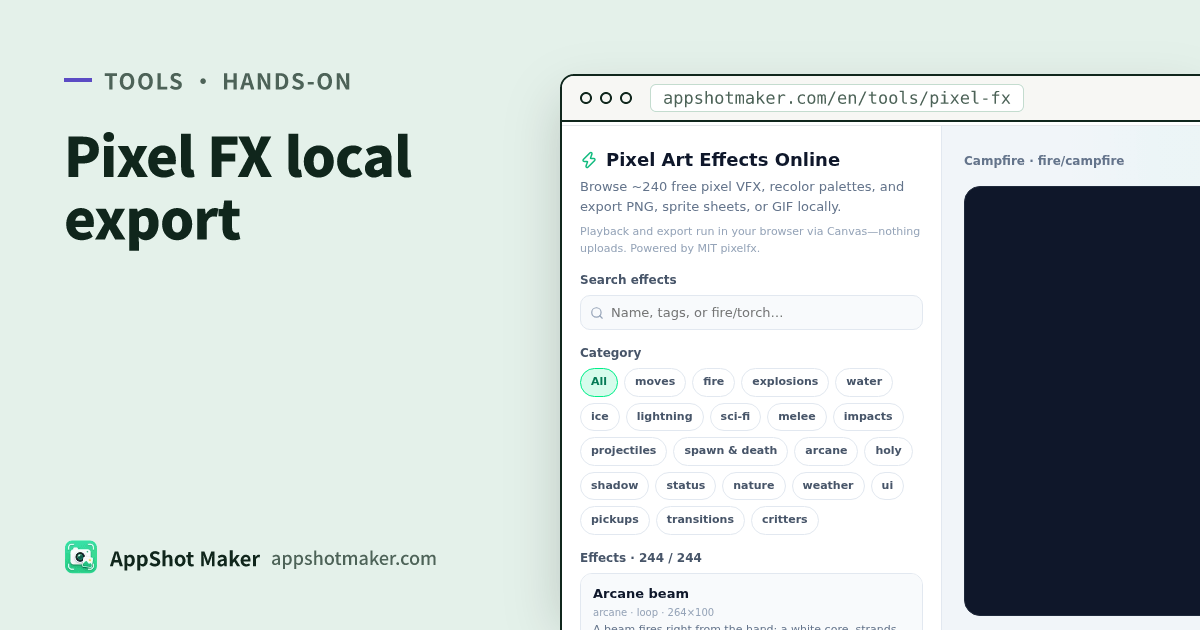
Pixel FX is built for intent (3). It runs the MIT pixelfx catalog in your browser (checked 2026-11-01: about 244 effects across 21 categories), pixel-scales the Canvas preview, and exports locally. The network only fetches static scripts and the catalog.
Upstream is patch-gg/pixelfx (Patch + Hugo Duprez, MIT). We do not ship the Patch Pixel font from the upstream gallery—that is a license boundary, not a missing toggle.
Pack vs maker vs preview desk
| Outcome you want | Better path | Why |
|---|---|---|
| A finished art drop ready for the engine | CC0 / itch sprite packs | Frames are already authored; recolor space is limited |
| Brand-new particle design | Online effect makers | Creative control, steeper knobs |
| Browse ~240 ready VFX, recolor, export | /en/tools/pixel-fx (this article) | Search/categories + palettes + PNG/sheet/GIF |
| Pixel fonts | Site font pages, not this tool | Many GSC “pixel” queries are typefaces |
Rule of thumb: shelf of ready VFX you can recolor → preview desk; invent particles → maker; grab a whole art kit → download pack.
How to scan categories faster than raw search
Categories on writing day include: moves, fire, explosions, water, ice, lightning, scifi, melee, impacts, projectiles, spawn, arcane, holy, shadow, status, nature, weather, ui, pickups, transitions, critters (names follow the live UI).
| Game moment | Start here | Example queries |
|---|---|---|
| Camp / torch loops | fire | campfire, torch |
| Hit sparks | impacts / melee | hit, slash |
| Ice bursts | ice | frost, nova |
| Cast circles | arcane / holy | circle, cast |
| UI feedback | ui / pickups | sparkle, coin |
| Weather loops | weather / nature | rain, leaf |
Narrow by category to under ~10 candidates, then use search—faster than scrolling 244 filenames.
Controls that actually change the export
| Control | When I use it | Watch-out |
|---|---|---|
| Play / pause | Lock a hero frame for PNG | Pause before still export |
| Reseed | Same FX, different particle layout | Compare two or three seeds |
| Horizontal mirror | Facing the other way | Confirm before sheet export |
| Glow strength | Need pop on dark stages | Too high softens edges |
| Palette preset / custom dark→bright | Match project colors | Resampled to the default ramp length |
Presets include fire, ice, holy, shadow, nature, neon (exact list is on the page). Pick background brightness before the palette—neon on pure black is not neon on mid gray.
Export formats
| Export | You get | Best for |
|---|---|---|
| Current-frame PNG | One transparent frame | Docs, store corner badges, temp stickers |
| Sprite sheet PNG + JSON | Strip/table frames + Aseprite-style frame table with durations | Godot / Unity / Phaser; inspect meta.pixelfx |
| Short GIF | Looping preview via site gif.js | Design reviews, Discord, README demos |
There is no MP4 / FFmpeg path here. If you need a video container, hand the GIF or frames to a desktop tool, or use a different site tool aimed at video (for example Image Motion is a separate product path).
Five steps into an engine
- Open Pixel FX; pick a category or search
frost/campfire. - Play the preview; try two seeds; mirror if the actor faces the wrong way.
- Apply a preset palette or a custom dark→bright gradient.
- Export PNG for a still, sheet + JSON for production, or a short GIF for humans.
- Slice frames from the JSON rects in your engine; honor
loopvs one-shot hit FX (spawn, play, remove).
Compositing a VFX onto a marketing still? Finish in Screenshot Beautify. Need pixel typefaces? Use the font tools—this page will not give you glyphs.
License and honest limits
- MIT library—commercial use is fine; keep upstream attribution habits (LICENSE / NOTICE under
/vendor/pixelfx/). - NOTICE also documents MIT adaptations related to Sprite Fusion / Hollow Crown cores—recolors stay under those terms.
- No Patch Pixel font file.
- Counts track
catalog.json; “~244 / 21” is the 2026-11-01 snapshot.
How this sits next to Beautify and Image Motion
| Job | Tool |
|---|---|
| Pixel-game VFX preview, recolor, sprite sheets | Pixel FX |
| Marketing screenshot frames, chrome, callouts | Screenshot Beautify |
| Multi-image seamless 3D loops | Image Motion |
| Device bezels at store pixel sizes | /en/preview |
Do not treat Pixel FX as a watermark remover or a font downloader—those are different intents and different pages.
Three-minute checklist before the engine import
- Is the effect a loop or a one-shot? Hit FX should despawn when the last frame ends.
- Do JSON frame rects match the PNG size (avoid non-integer scales that break the pixel grid)?
- Did you resample the palette to the project colors, or ship a demo ramp by accident?
- Preview the transparency on both dark and light backdrops before compositing over busy UI.
- Keep MIT attribution habits; do not bundle fonts that the vendor NOTICE excludes.
After that pass, decide whether you still need a full download pack—often one recolored clip from the preview desk is enough for a prototype encounter.
When you look for pixel art effects online, decide whether you need a ZIP pack, a generative maker, or a recolorable preview desk. For the last job, categories + palettes + local sprite/GIF export usually beat downloading yet another archive you will recolor by hand anyway.
Ready to design your store screenshots?
Try AppShotMaker and turn raw captures into store-ready screenshots in minutes.