
Table of contents
- Quick nav
China Android Store Screenshots 1080x1920: One Set for Huawei, Xiaomi, OPPO, vivo
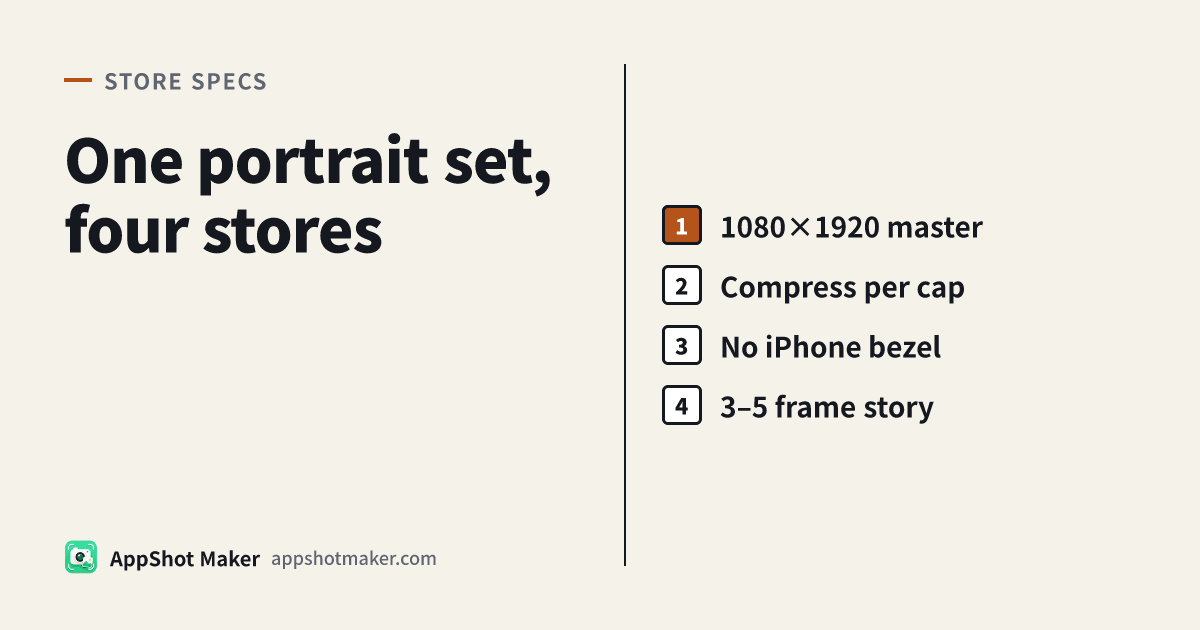
This is a workflow page, not another size encyclopedia
The tempting shortcut for China Android multi-store release is: build one portrait set and reuse it everywhere. On pixels, Huawei / Xiaomi / OPPO / vivo phone portraits largely converge on 1080×1920 — full table and document notes live on the Money page China Android store screenshot sizes (rechecked 5 Nov 2026; developer consoles always win).
What actually fails review is usually not “off by two pixels.” It is:
- Count / orientation mismatches (Xiaomi often wants 4–5; vivo wants an all-portrait or all-landscape set).
- File weight (OPPO portraits commonly <1MB each; vivo often ≤2MB; Huawei JPEG/PNG caps are wider, with a separate WEBP note).
- iPhone bezels or other-brand device chrome inside the store slot — called out repeatedly in store review language.
This article only covers how to batch one master into uploadable files. Spec encyclopedia and upload-error triage stay on the size landing and the upload failed fix.
Decision table: can one master reuse?
| Check | Reusable? | Extra work |
|---|---|---|
| 1080×1920 portrait pixels | Usually yes for phone portrait slots | Export landscape separately; tablets/foldables are another kit |
| 3–5 frames | Covers common OPPO/vivo ranges | Pad Xiaomi to ≥4 when the console asks; Huawei allows up to 10 — do not pad empty slides |
| File size | No — per-store | Compress for OPPO first via /en/tools/compress |
| iPhone-framed marketing shots | Do not use as store-slot images | Solid/gradient + short title for stores; keep bezels for web/social |
| Transparent PNG | High risk | Flatten to an opaque background; Play and many Android consoles reject alpha |
First-hand flow: /en/preview → upload-ready ZIP
1. Write the story before you capture
Draft 3–5 one-line proofs (“this screen shows X”), then capture. Capturing ten shots and deleting later fights Xiaomi’s tight count and creates near-duplicate rejects.
2. Export 1080×1920 in the screenshot maker
- Open /en/preview. Under Size & export, pick an Android / Huawei / OPPO / vivo / Xiaomi 1080×1920 preset (labels follow the live editor list).
- Upload screenshots with real-device or emulator portraits.
- Title & copy — short Chinese or English benefit lines; avoid half-frame typography blocks.
- Background solid or gradient. Do not wrap an iPhone device frame meant for overseas marketing and then upload that PNG to China Android consoles.
- Export all for a numbered PNG ZIP.
If you need a transparent framed phone for a website hero, use /en/tools/device-mockup and keep that folder separate from store-slot assets.
3. Compress to the strictest cap once
Order that avoids chewing type with double JPEG passes:
- If a PNG is clearly over 1MB → convert to JPG with /en/tools/format when the store accepts JPG/PNG.
- Run /en/tools/compress until edges stay sharp enough for titles.
- OPPO deep-dive: compress OPPO screenshots under 1MB. Reusing the same “already <1MB” pack across stores beats maintaining two pixel kits.
4. Sixty-second preflight per console
- All portrait or all landscape (vivo)
- Count inside that store’s range
- No leftover iOS status-bar fiction, competitor marks, or “#1 / million downloads” hype
- OPPO each file <1MB; vivo ≤2MB
- Sorted filenames (01–05) so single-slot replaces are painless
How this sits next to ASC and Play
Global packages often need App Store Connect and China Android on the same week:
| Channel | Master strategy |
|---|---|
| ASC | Separate Dynamic Island medium required set (commonly 1206×2622) via /en/app-store-screenshot-maker |
| Google Play | Wider side range; recommendation surfaces prefer ≥1080 9:16 — same story, Play-oriented door: /en/google-play-screenshot-generator |
| China four stores | This 1080×1920 pipeline |
Do not rename an ASC iPhone-framed export and hope Huawei will shrug — pixels may match while device-chrome policy still fails you.
Anchors
- Four-store size/count/format table: /en/china-app-store-screenshot-size
- Cross-store pixel lookup: /en/tools/screenshot-sizes
- Longer multi-channel batch narrative: /en/articles/multi-channel-android-screenshot-batch-workflow-cn
Open-platform docs drift. Console validators beat articles. This page does not invent a fifth store’s official pixels without a primary source — prepare 1080×1920 first, then adjust if a console (including MyApp/Yingyongbao) shows a different hint.
Failure modes we actually rewrite for
“The PNG does not look huge, but OPPO still rejects it”
OS “size on disk” views can disagree with console validators. Trust the byte size after /en/tools/compress. Gradient + soft-shadow PNGs jump from ~800KB to 1.5MB easily — that is encoding, not “too many screens.” Convert to JPG first when the store allows it, then compress; it beats fighting PNG quantization.
“Framed shots convert better, but review cites device chrome”
Website heroes and social covers can use /en/tools/device-mockup. Store listing slots should stay bezel-light. Keep two folders (web-mockup/ vs store-1080/) so freelancers do not upload the wrong ZIP.
“One bilingual collage for every store”
China Android users expect Chinese benefit copy on the listing. Stacking English launch headlines on the same 1080×1920 frame hurts both conversion and review tone. For locale matrices, use /en/tools/screenshot-localize and export per-folder ZIPs instead of bilingual collage slides.
“Xiaomi count fights the narrative”
Author five honest frames, then drop the weakest when Xiaomi wants 4–5. Huawei can take more, but duplicates, blur, and stretch are explicitly called out — padding with near-identical UI is worse than a shorter set.
Takeaway
One portrait set saves time only if weight and no-iPhone-bezel are first-class constraints. Export the master in /en/preview → compress to the strictest cap → ship per-store folders; keep marketing mockups out of the upload tray.
Ready to design your store screenshots?
Try AppShotMaker and turn raw captures into store-ready screenshots in minutes.