
Table of contents
- Quick nav
Turn Images into 3D Motion Free Online: Seamless Loop MP4 & GIF
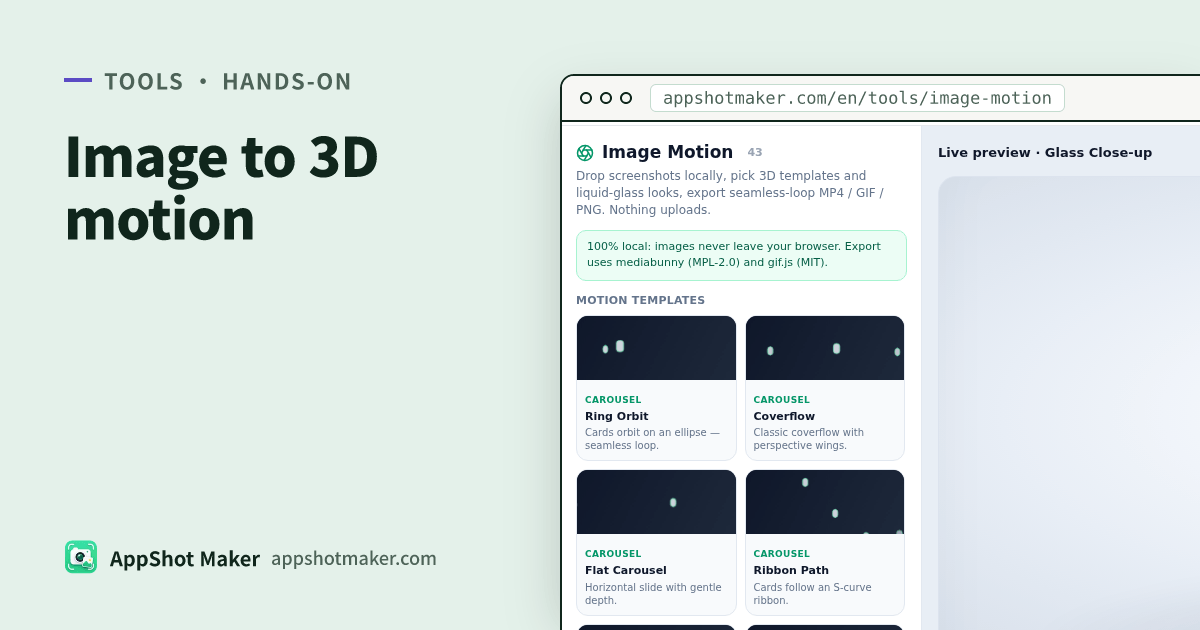
Searching “turn images into 3D motion” usually means a loop you can ship
People typing that phrase rarely want a single photo spinning in 2D. They want a short, seamless clip—screenshots or portfolio frames sliding through real depth—that can land on a landing page, X/Twitter, or a case-study reel. The SERP mixes three different jobs:
- 2D GIF animators (zoom, shake, rotate, wobble);
- Depth-parallax makers (one photo, estimated depth, camera drift);
- Store App Preview builders (slideshow sized for Apple’s preview bar).
Those are all “motion,” but only the multi-card 3D showcase matches the carousel / kinetic-gallery category. Image Motion on this site targets that third job: original WebGL layouts in the browser, optional liquid-glass looks, and local export to MP4 / WebM / GIF / stills / PNG-sequence ZIP. Nothing uploads. Checked 2026-11-01 (UI lists about 43 seamless templates; up to 24 images).
The engine and layout math are original. Same product category as commercial “image → 3D motion” apps—not a source copy.
Decide the kind of motion before you open a tab
| Goal | Better path | Why |
|---|---|---|
| Multi-image 3D carousel, coverflow, tunnel, glass prism for social/portfolio | /en/tools/image-motion (this article) | Phase-periodic layouts so a full cycle loops without a jump |
| Trial storyboard at App Preview accepted sizes | App Preview from screenshots | Pixel rules + “must look like the app in use” content policy |
| One lifestyle photo with parallax sway | Depth-parallax tools | Single-image depth, not a card stage |
| Chat sticker / spin / pulse GIF | Generic image→GIF tools | 2D filters are enough |
Rule of thumb: store preview bar → App Preview guide; social/portfolio loops → Image Motion; meme stickers → 2D GIF.
Template groups: pick A vs B, don’t sample all 43 first
| Group | Best source frames | How I choose |
|---|---|---|
| carousel (ring orbit, coverflow, flat, ribbon…) | 3–12 product UIs | Portfolio hero or feature tour; coverflow loves large UI shots |
| orbit (sphere, helix, double ring, saturn, cylinder…) | Icons/posters that should revolve | Brand openers; helix reads well in 9:16 |
| stack (fan, flip, rise, peel…) | Storyboard “next card” beats | Release notes, step explainers |
| wall (infinite, wave, corridor…) | Moodboards / many thumbs | Atmosphere > per-card readability—type must be large |
| showcase (hero+satellites, tunnel, scatter, zoom-through…) | One hero + supporting shots | Landing openers; tunnel for deep Z |
| glass (prism, close-up, lens row…) | When you want edge refraction | Pair with liquid-glass look so edges have something to bend |
Practical A/B: export coverflow and ring orbit at 4s 9:16, watch both on a phone, then decide whether glass templates are worth the extra edge shimmer.
Aspects, duration, and export formats
| Aspect | Typical placement | Note |
|---|---|---|
| 9:16 | Reels / Shorts / vertical case studies | Fastest first draft |
| 16:9 | Desktop hero, horizontal demos | Side wings breathe more |
| 1:1 | Feed squares | Keep subjects off the extreme edges |
| 4:5 / 5:4 | Some feed crops | When unsure, try 1:1 first |
Exports (all local; mediabunny MPL-2.0 + gif.js MIT):
| Format | Use when | Caveat |
|---|---|---|
| MP4 (H.264) | Social uploads, almost every player | Best encode path in Chrome/Edge; start at 1080p |
| WebM | Web <video>, transparent trials | Some phone galleries skip WebM |
| GIF | Chat, docs, “plays everywhere” | Heavy files, small palette—keep loops short |
| PNG / JPEG / WebP | Poster stills, thumbs | One phase frame |
| PNG ZIP | Hand off to an NLE | Short sequence, not a long-form master |
“Prefer transparent background” helps GIF / WebM / PNG. MP4 stays on a solid backdrop on the normal H.264 path. Seamlessness comes from phase 0→1 layout functions, not a hard cut in post.
Liquid glass: when to enable it
Looks include Clean, Liquid Glass, Prism, Liquid Lens, Noir, and Holo. Glass is an on-device WebGL2 post-pass (edge refraction, chromatic dispersion, frost, bloom)—not a cloud AI model.
| Situation | Preference |
|---|---|
| Dense UI type must stay sharp | Clean, or keep refraction/dispersion low |
| Posters, icons, mood frames | Liquid Glass or a glass template |
| Night / neon atmosphere | Noir / Holo plus dots/holo backgrounds |
If refraction climbs past ~0.6 with strong dispersion, thin glyphs fringe. Do not treat this pipeline as the final App Store screenshot set—finish store stills in /en/preview or Screenshot Beautify.
Five steps that usually get a shippable loop
- Open Image Motion; drop PNG/JPEG/WebP (max 24; demo cards preview templates until you upload).
- Pick a template group (start with coverflow or ring orbit); nudge spacing / tilt / depth.
- Choose a look and background (studio, mesh, aurora, transparent, …); enable liquid glass only if edges matter.
- Set aspect, duration (try 4s first), and FPS; pause on a few phases to catch clipping.
- Export MP4; if you need a chat-sized file, bake a shorter GIF for comparison.
Need a smaller still afterward? Run it through image compress. Shipping a real App Preview? Re-read the App Preview guide—a social loop is not automatically review-safe preview footage.
Honest limits of “free online”
- Free, no account, images stay in the tab—textures live in memory/GPU only.
- Template count grows over time; on writing day the live UI shows about 43; trust the tool list if numbers drift.
- MP4 needs browser AVC encode support; fall back to WebM/GIF or a Chromium browser if encode fails.
- Not a timeline editor: no multi-track captions or stock music. Add voiceover after export.
When you search to turn images into 3D motion, separate 2D filters, depth parallax, store Preview, and multi-card seamless stages. For the last one, local templates plus optional glass and multi-format export usually beat hopping through another “spin this JPEG” site.