
Table of contents
- Quick nav
Android Automotive screenshot size: Google Play wants 800×1280 and 1024×768
The car slot is not a smaller phone screenshot
You only need an Android Automotive screenshot size set if you actually distribute the app to Android Automotive OS vehicles on Google Play. The files sit in their own Graphics section. They are not interchangeable with phone, tablet, Wear OS, Android TV, or Android XR assets, and a 1080×1920 phone image will not satisfy the written shape.
This page was checked against Google's Add preview assets to showcase your app on 10 November 2026, then cross-checked with the car app quality guidelines (criterion EP-4) and Distribute to cars.
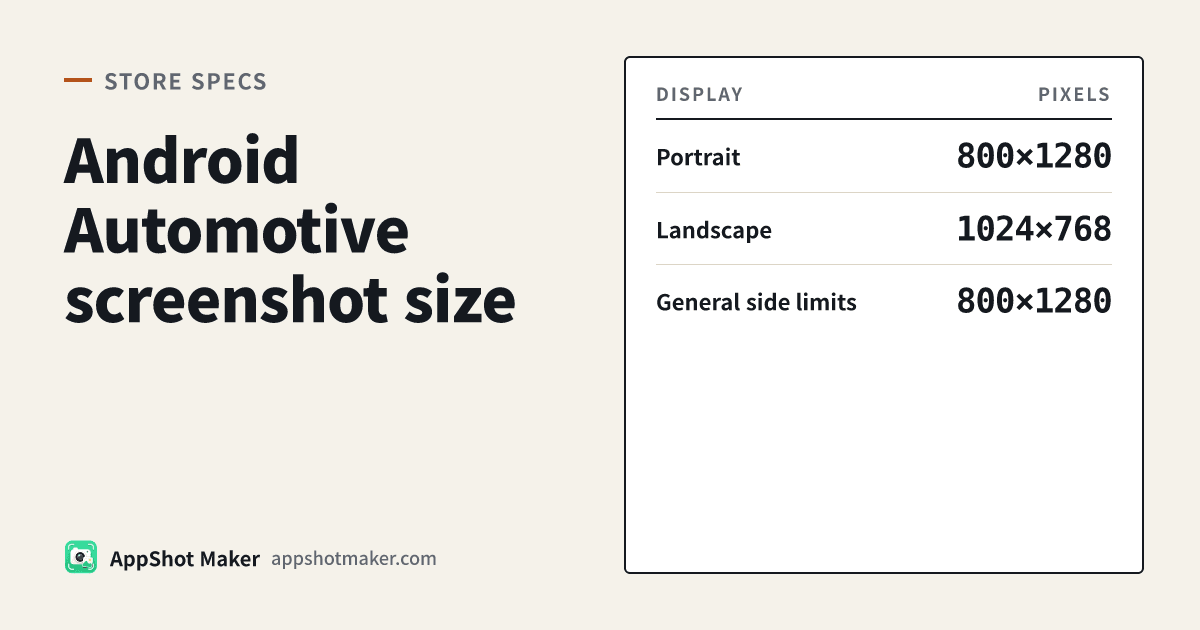
If you provide Android Automotive OS screenshots, you must upload at least 2 portraits (800 × 1280) and 2 landscapes (1024 × 768), captured from a generic system image with the Automotive Portrait and Automotive (1024p landscape) emulator profiles. The frames must show generic system UI — not a specific vehicle model or OEM — and must look like the app on Android Automotive OS. Whether those files are required or optional depends on the app category, which the next section spells out.
800 ÷ 1280 = 1.60 (a 5:8 portrait). 1024 ÷ 768 = 1.333 (a 4:3 landscape). A typical phone portrait at 1080×1920 is 9:16 (~1.78); a featuring landscape at 1920×1080 is 16:9. Those are different rectangles. Scaling a phone screenshot down is not a shortcut.
Numbers checked today
| Item | What the docs say (checked 10 November 2026) |
|---|---|
| Portrait | At least 2 images at 800 × 1280 |
| Landscape | At least 2 images at 1024 × 768 |
| Floor if you upload any | 2 + 2, so at least four files |
| Cap per device type | General rule: up to 8 screenshots per device type |
| Format | General rule: JPEG or 24-bit PNG (no alpha) |
| General side limits | General rule: each side 320–3840 px, and the long side no more than twice the short side. 800×1280 is 1.60×; 1024×768 is about 1.33×. Both pass that rule |
| 8 MB | Official help writes 8 MB on the Android XR bullet, not the Automotive paragraph — not treated here as an Automotive hard limit |
One extra landmine: “Distribute to cars” currently writes landscape as 1024 × 786. The same-day Play Console help article, the multi-platform quality guideline, and the Automotive (1024p landscape) profile all say 1024 × 768. Export 768 — do not build 1024×786 to match a likely typo.
Required or optional: start with parked vs driving categories
Play Console Help says screenshots are required when the app is not in a parked category, and optional when it is. Quality guideline EP-4 (added August 2026) applies that requirement to media, templated messaging, calling, navigation, point of interest, internet of things, and weather. The same page groups video, games, and browsers as parked apps — optional there, but still recommended when the car UI differs. Games became generally available in September 2026.
| Where the app roughly sits | Automotive screenshots |
|---|---|
| Media, templated messaging, calling, navigation, POI, IOT, weather | Required under EP-4 |
| Video, games, browsers (parked categories) | Optional; recommended when the car UI differs |
| Android Auto only, no Android Automotive OS build | Do not treat the 800×1280 / 1024×768 pair as an Auto requirement |
Android Auto and Android Automotive OS are not the same form factor. In today’s distribute-to-cars checklist, opting in to Android Auto means releasing a compatible bundle to a testing track — that bullet does not mention 800×1280 / 1024×768. The screenshot rules sit on the separate Automotive OS opt-in. If the listing has Automotive screenshots, they must appear on the main store listing and any custom store listings.
Do not reuse phone or XR canvases
| Canvas | Ratio | Typical use | Can it fill the car slot? |
|---|---|---|---|
| 1080×1920 | 9:16 (~1.78) | Play phone portrait; many other Android stores | No substitute for 800×1280 |
| 1920×1080 | 16:9 (~1.78) | Play featuring landscape | No substitute for 1024×768 |
| 3840×2400 | 8:5 (1.60) | Android XR screenshot size | No substitute for either car orientation |
| 800×1280 | 5:8 (1.60) | Automotive portrait, at least 2 | This is the portrait slot |
| 1024×768 | 4:3 (1.33) | Automotive landscape, at least 2 | This is the landscape slot |
Two portraits are not enough on their own. Two landscapes are not enough either. Google’s sentence is conjunctive: at least two of each.
Passing Play’s general side limits (320–3840, long side ≤ 2× short side) is not the same as satisfying the Automotive pair. The 2:1 rule explains why a 1080×2400 phone crop fails — it does not create an Automotive portrait for you.
Which two emulator profiles to use
Google names the profiles in plain text:
| Official profile name | Resolution | Slot |
|---|---|---|
| Automotive Portrait | 800×1280 | Portrait, at least 2 |
| Automotive (1024p landscape) | 1024×768 | Landscape, at least 2 |
The emulator catalog also lists other car skins (1080p landscape at 1080×600, 1408p, Large Portrait at 1280×1606, Ultrawide at 3904×1320). Those are for testing unusual dashboards, not the pair written in Play Console Help.
Content is as strict as pixels. Use a generic system image so the chrome looks like Android Automotive OS, not one manufacturer’s skin, badge, or model-specific climate bar. A photo of a real car’s head unit usually fails that test. Distribute-to-cars says you may add extra promotional artwork after the interface shots; those extras do not replace the four required UI images.
Older Android Studio builds shipped the landscape 1024p profile first, which is why portrait captures used to require a homemade hardware profile. Current stable Studio bundles Automotive Portrait at 800×1280 — update Studio rather than inventing a near-miss resolution.
Export both canvases in the browser
The screenshot maker does not ship a dedicated “Automotive” preset, but the size panel includes Custom size. The workflow we built is:
- Open the screenshot maker and place the interface you exported from the emulator.
- Under size and export, choose Custom size and enter 800 × 1280. Export at least two portraits.
- Change the custom size to 1024 × 768 and export at least two landscapes.
- Export JPEG, or a flattened 24-bit PNG. Do not leave an alpha channel — that is the same Play-wide rule covered in transparent screenshots rejected.
- If a file is heavy, run it through image compression in the browser (try the PNG pass first, then switch to JPG if you need a smaller file). Do not stretch the picture to make the byte size drop.
The screenshot compliance checker currently evaluates common phone, tablet, and feature-graphic rows. It has no Automotive rule for “two portraits plus two landscapes,” and it cannot see OEM chrome. Because 800×1280 and 1024×768 fall inside the Play phone range (320–3840, long side ≤ 2×), the checker may mark them as passing — that only means they satisfy the phone-range interval, not the Automotive count, pair, or content rules. It also does not count how many files you will upload.
These steps run locally in the browser. Files are not uploaded to our servers.
Upload checklist
- You are distributing to Android Automotive OS, not only opting in to Android Auto.
- Category check: non-parked listings must upload shots; parked listings (video / games / browsers) may skip them, but should upload when the car UI differs.
- At least two 800×1280 portraits and at least two 1024×768 landscapes. Do not export 1024×786.
- Frames come from a generic system image, with no vehicle-model or OEM chrome.
- Files are JPEG or 24-bit PNG with no alpha.
- The same Automotive set appears on the main listing and every custom store listing.
- You did not substitute 1080×1920, 1920×1080, or the XR 3840×2400 canvas.
- You stayed at or under 8 screenshots for this device type, and any extra promotional artwork did not crowd out the four interface shots.
How this fits next to the other Play guides
Phone uploads that fail the long-side rule belong in the 2:1 article. Wear OS, Android TV, and Chromebook live in the multi-form-factor guide (no car section there). Headsets are a different rectangle: Android XR screenshot size. Everyday store pixels are in screenshot size lookup, which also has no Automotive row yet — type the two custom canvases in the maker.
If a console prompt disagrees with a help page on upload day, trust the Play Console.
Ready to design your store screenshots?
Try AppShotMaker and turn raw captures into store-ready screenshots in minutes.