
Table of contents
- Quick nav
Google Play screenshot text rules: 20% taglines, banned words, alt text
Publishing rules and recommendation rules are not the same job
People who search for Google Play screenshot text rules often land on a size chart. Side length, file format, and the 2:1 cap decide whether Play Console accepts the file. Most of the wording rules sit in the same help article under highly recommended. Skipping them usually will not take the store listing down. It can change how preview assets appear on Google Play, or limit the promotional surfaces that show screenshots in a large format.
This page was checked against Add preview assets to showcase your app on 8 November 2026. It covers only the text layer: how large a tagline may be, which words to avoid, how to write alt text, and why extra copy is cropped on large-screen home surfaces. Pixel math lives in the requirements article and in today's companion piece on the 2:1 rule.
Taglines should not take up more than 20% of the image
Google's wording is specific: add a tagline only when you need one to explain a key characteristic, and the tagline should not take up more than 20% of the image.
That is area, not “keep the headline under twenty characters.” A 1080×1920 portrait is 2,073,600 pixels; 20% is about 414,720 pixels. If the tagline is a full-width band, its height should stay around 384 px or less (20% of 1920). A 1920×1080 landscape follows the same math: a full-height side panel should stay near 384 px wide.
A practical check:
- Draw a box around the title, subtitle, and any colored plate or stroke that belongs to the caption.
- Multiply width by height and compare it with one-fifth of the whole image.
- Two lines of display type plus a subtitle plus decorative marks in the margins will blow past 20% faster than it feels in a desktop preview.
The same section warns against tiny type and busy backgrounds that compete with the words. Screenshots shrink in Play search and on the home feed. A caption that is barely readable on the listing page becomes a blur in a recommendation row.
When you typeset a 1080×1920 canvas in the editor, treat the caption as a short top band, not half a poster. The multilingual screenshot tool draws titles near the top 5% of the canvas and starts the device area around 22% of the height; keep title and subtitle inside that band instead of stacking a third headline over the UI.
Words and calls to action that work against you
Google lists examples. Do not paste the English list onto a localized graphic and call it done — translate the idea, then delete the boast.
| Category | Avoid | Rewrite toward |
|---|---|---|
| Rank or performance | Best, #1, Top, “number one,” “chart topping” | A concrete capability: “Log an expense without a network” |
| Awards or social proof | “Million downloads,” testimonials, “award-winning” | Keep quotes in the long description; do not stamp them on the frame |
| Price and promotion | New, Discount, Sale, “free for a limited time” | Prices age quickly; you will have to re-export the whole set |
| Calls to action | Download now, Install now, Play now, Try now | The Play listing already has an install button |
A hook is still useful. The hook should be a product fact that matches the interface behind it. The screenshot does not need to impersonate the install button or wear a “#1” badge.
A few picture rules travel with the copy:
- Screenshots must show the actual in-app or in-game experience. Stylized frames that split one UI across several images are allowed, but the first three should still prioritize the interface.
- Do not show fingers tapping the device unless the core use happens off-device.
- Avoid device imagery. Google notes that device chrome goes out of date and can alienate some people. For Play, export without a phone bezel when you can; iPhone frames are a particularly poor fit on an Android store.
- Localize overlaid copy for each language. In-game UI does not have to be recaptured per market, but extra taglines do.
Alt text: 140 characters, and do not start with “image of”
The same help page asks you to add alt text on every screenshot so screen-reader users know what they cannot see. Do not start with “photo of” or “image of” — the reader software already announces an image. Name the important part in 140 characters or less. Google's own example is along the lines of “The transaction complete screen.”
| Weak | Stronger (still under 140 characters) |
|---|---|
| Screenshot 2 | Home ledger showing this month's balance and the last three expenses |
| Image of settings | Settings screen with weekly summary and notification switches turned on |
| App screenshot | Camera page that turns a paper receipt into a saved record |
Alt text is a field in Play Console, not pixels burned into the PNG. After you export a ZIP, fill that field while you upload. Skipping it wastes a requirement you already met in every other column.
Large-screen screenshots crop extra words
If you upload tablet or Chromebook screenshots, Google asks for at least four frames, sides between 1080 and 7680 px, 16:9 landscape or 9:16 portrait, and says to leave out additional text that is not part of the core app experience, because it can be cut off on Play homepages at some sizes.
A phone set that already keeps taglines under 20% should get even quieter on large screens. Split view, a hardware keyboard, or a sidebar is what those slots are for. Scaling up the same poster headline often means the homepage crop hits the type first.
How this page differs from the size guides
- Sides, the 2:1 cap, counts, and the feature graphic belong in Google Play screenshot requirements 2026 and the 2:1 rule article.
- General headline craft lives in the on-site copywriting and typography pieces. This page only implements the sentences Google printed in the preview-asset guide, and it does not promote a highly recommended item as if it were a publish blocker.
- Apple does not publish a matching “tagline ≤ 20%” number. A caption-heavy App Store medium set that you shrink to 1080×1920 will often fail Play twice: once on ratio, once on recommendation copy. Shorten the words, then change the pixels.
When you still need a short title, set a 1080×1920 canvas in the Google Play screenshot generator or the editor and keep the type in a modest top band. Export an opaque PNG or JPEG. AppShot Maker will not review your adjectives, but the fixed canvas and the local checker will catch the other half of the listing.
Text checklist before you upload
- Taglines appear only when needed, and a full-width estimate stays under 20% of the image
- No Best / #1 / million downloads / discount / Download now language
- The first three frames still show real UI
- Each file has alt text of 140 characters or fewer in Play Console
- Large-screen slots are not carrying leftover poster headlines
- Overlaid copy is localized
Wrap-up
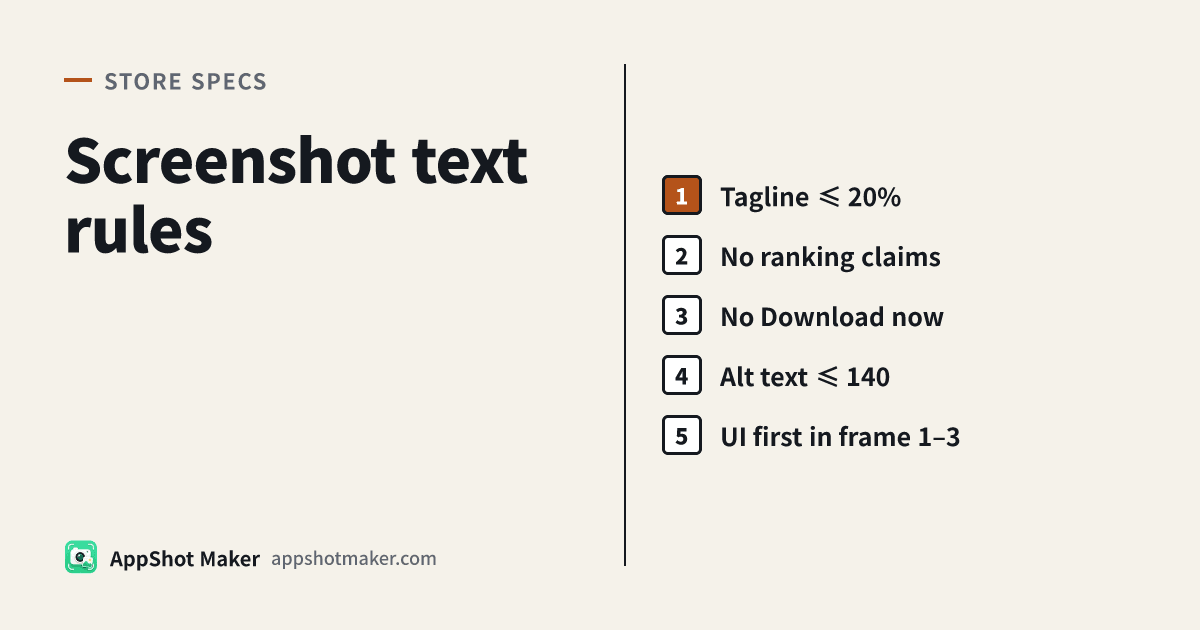
Google Play screenshot text rules collapse to four sentences: keep taglines under a fifth of the image, skip ranking claims and download CTAs, lead with real UI in the first three frames, and write alt text under 140 characters. Most of that affects recommendation eligibility rather than the publish button. If you are already rebuilding a 9:16 set to clear the 2:1 cap, tighten the words in the same pass.
Ready to design your store screenshots?
Try AppShotMaker and turn raw captures into store-ready screenshots in minutes.