
Table of contents
- Quick nav
App Store Screenshot Inspiration Gallery: Charts, Shots, Icons
Calibrate structure before you redraw pixels
The costly screenshot failure mode is finishing five polished frames, then noticing category leaders sell an outcome on frame one while you listed features. Before opening a generator, study live listings for information architecture: headline length, device frame yes/no, where social proof sits, whether the icon reads at grid size.
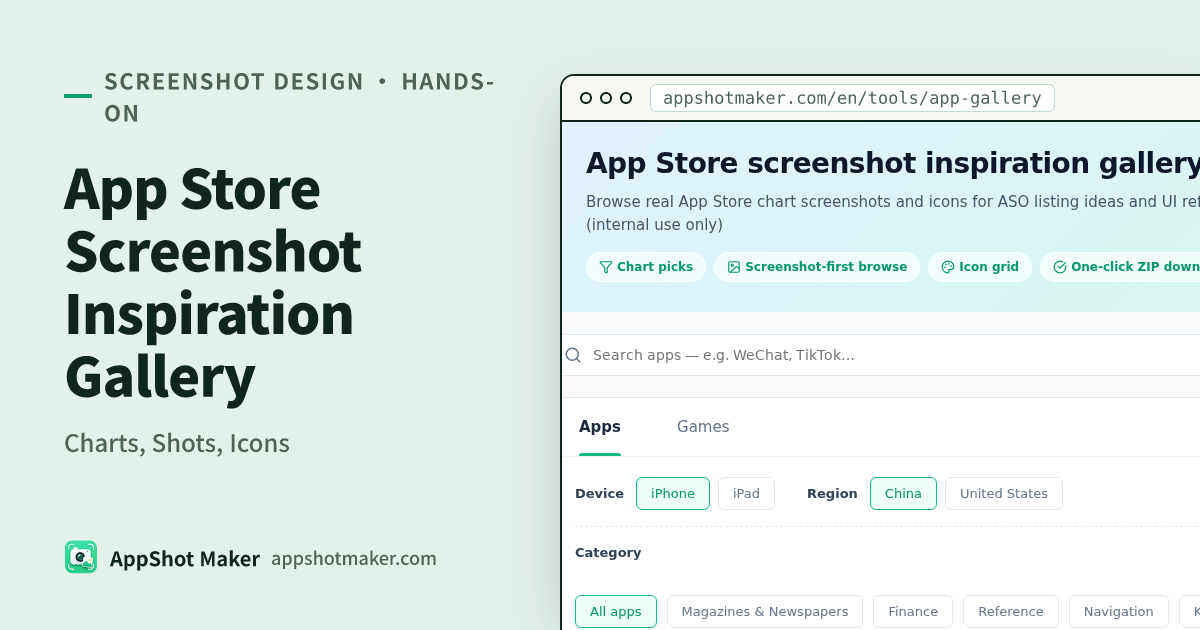
The App Store screenshot inspiration gallery (same tool id app-gallery, upgraded UX) browses real chart screenshots and icons. Switch apps/games, filter by genre, iPhone/iPad, and region, or search by name. Charts and artwork come from Apple’s public iTunes APIs (proxied here, cached about an hour). Download a ZIP of every screenshot for internal design and ASO reference only.
Screenshots view vs Icons view
| View | What you see | Questions it answers |
|---|---|---|
| Screenshots | Three-up preview strips | First-frame promise, copy density, bezel vs bleed, five-frame rhythm |
| Icons | Dense icon grid | Category legibility, dominant hue, glyph vs pictorial mark |
v1 ships these two views. Curated onboarding or paywall tabs need manual labeling and are not available yet—do not expect a before.click-style hand-tagged taxonomy. The value here is chart-synced public data plus region switching for localization research.
Five-step workflow
- Open the gallery. Pick apps or games, category, device, and region (for example United States vs China).
- Start in Screenshots view; switch to Icons when you care about shelf recognition.
- Open one app and walk the full sequence—note frame jobs, not pixels to clone.
- Download a ZIP into an internal research folder only. Do not redistribute or upload those files as your listing.
- Turn notes into a storyboard, then produce originals with the screenshot maker and screenshot localization tools.
Observation checklist
For each competitor, capture:
- Outcome-led first frame or feature laundry list?
- Approximate headline length / bilingual stacking?
- Device frame or full-bleed marketing art?
- Which frame carries ratings, user counts, or before/after proof?
- Can you name the category from the icon in three seconds?
Pair with the competitive screenshot teardown methodology when you need a scoring rubric; the gallery is the intake, the teardown article is the rubric.
Copyright hard rules
- Downloaded screenshots and icons belong to each app’s developers. ZIP = internal study, not commercial reuse.
- Do not rehost packs on public CDNs or “free asset” dumps.
- Freshness: about one hour of server cache—close to Apple’s charts, not a push feed.
- Regions matter: the same app can ship different copy and even different compositions in US vs China storefronts. Treat the region control as a research dimension.
How this fits the rest of the free toolbox
| Need | Tool |
|---|---|
| Live listing examples | This gallery |
| Installable UI / ASO agent playbooks | UI design agent skills |
Brand-like :root tokens for AI | Brand design HTML refs |
| Export upload-ready sizes | Screenshot maker / batch processor |
| Preflight alpha / size issues | Screenshot compliance check |
Everything above runs in the browser for makers on this site—no paid plan gate.
When to skip the gallery
- You already own a stable five-frame template and only need seasonal copy—edit the generator.
- You need commercially cleared stickers—use the meme/emoji library, not store screenshots.
- You are designing a Google Play Feature Graphic—the gallery is oriented to App Store preview strips; Play banners are a different canvas.
Competitor landscape (why another gallery exists)
Public SERP alternatives include curated sites such as before.click, Screenshots Club, Screenspo, and Snaps. They differ on tagging depth, MCP hooks, or Google Play coverage. This gallery’s niche is lightweight chart browsing + Screenshots/Icons toggle + region filters, wired next to a free local screenshot pipeline on the same domain—so research and production stay one tab apart.
A 20-minute research sprint
Indie teams do not need a half-day teardown. Try this timer:
- 5 minutes — pick the set: same primary category, top charts in your ship region, iPhone first.
- 8 minutes — annotate three rivals: only first three frames + icon; write one line per frame job.
- 4 minutes — decide non-goals: e.g. “no seasonal skin,” “keep bezel,” “proof on frame three.”
- 3 minutes — handoff: paste notes into your storyboard tool or Drawnix board, then open the screenshot maker.
The sprint fails if you start redrawing UI mid-gallery. Stay in observation mode until the timer ends.
Localization note
When you switch regions, ask whether differences are translation only or recomposition. Recomposition (different proof, different hero UI) means your localization pipeline should allow alternate frame sets—not just string swaps via screenshot localization.
Save notes, not PNG dumps, as the team source of truth
ZIPs rot in Downloads folders. Prefer a shared doc with app name, region, date, and three bullet frame jobs. Re-open the gallery when charts move; do not treat last month’s ZIP as eternal truth—Apple listings change, and your hour-cached proxy will follow.
Feature Graphic and Play are out of scope here
This gallery is built around App Store preview strips and icons via iTunes chart endpoints. Google Play Feature Graphic (1024×500) and phone screenshot policies are different jobs—use Play-specific size guides and the feature-graphic maker when that is the deliverable.
Closing rule of thumb
Use App Store screenshot inspiration to answer “what structure is winning on the charts right now,” then ship your pixels. Reference structure; never ship someone else’s PNG.