
Table of contents
- Quick nav
Brand Design HTML Library: 118 Refs for Screenshots and AI
You need openable style samples, not another opaque UI kit
Store screenshots and landing pages often start from a verbal target—“Feishu-clean,” “Linear-restrained”—but official brand PDFs are awkward to feed an agent, and cloning a live marketing site is the wrong move. The MIT project yzfly/awesome-design-html packages about 118 self-contained HTML demos (roughly 96 web marketing pages + 22 iOS device mockups). Colors, type ramps, radii, and components live in each file’s :root block.
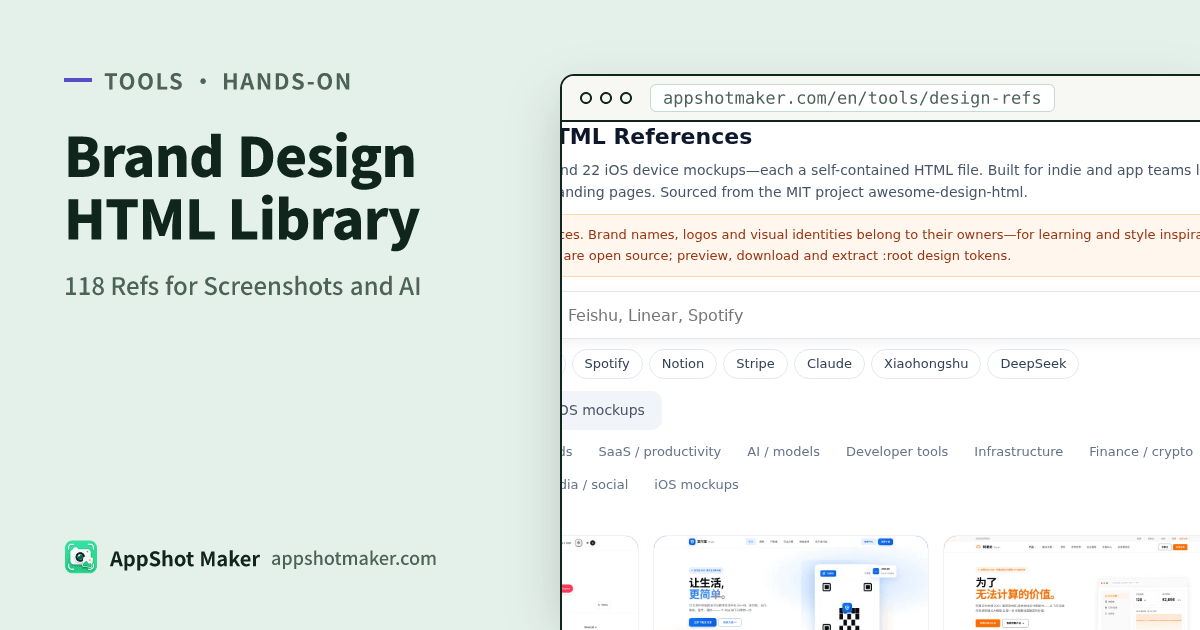
AppShot Maker hosts them in the Brand Design HTML References tool: search English or Chinese brand names, filter by China brands, SaaS, AI, developer tools, and more, then preview, download one HTML file, or copy design tokens and a short AI prompt.
MIT covers the files—not the trademarks
| Allowed | Not allowed |
|---|---|
| Use, modify, and redistribute the HTML under MIT | Treat logos, wordmarks, or trade dress as your mark |
| Extract palette, radius, and type scale into your UI | Imply partnership or endorsement |
| Paste tokens into an agent to style your product | Ship the reference page screenshot as your listing art |
Pages are unofficial style references. Marks belong to their owners; this site is not affiliated. See /design-refs/LICENSES.txt.
Three-step hands-on
- Open design refs. Search a brand or tap a trending chip; narrow with Web / iOS mockup and category filters.
- Open a card—the preview iframes our hosted HTML (no third-party demo CDN).
- Choose an action:
- Download HTML for offline opening or local agent file reads.
- Copy design tokens to clipboard as a
:root { … }block. - Copy AI prompt with those tokens for Cursor / Claude Code.
Search, filters, and copying stay in the browser. HTML and thumbs are static assets; nothing from your product uploads.
Wiring tokens into a screenshot pipeline
- Pick one or two mood matches that do not collide with your category positioning.
- Copy
:rootvariables and rename them to your product tokens so customer-facing CSS comments do not keep another company’s proper names. - Optionally install a design-system skill from the UI design agent skills gallery so the agent applies tokens under a checklist instead of sprinkling hex codes.
- Render frames in the screenshot maker. When you need chart structure, switch to the App Store screenshot inspiration gallery—a different licence world.
Mood → filter → screenshot action
| Mood | Filter bias | Screenshot action |
|---|---|---|
| Dark canvas, product UI as hero | SaaS / developer web demos | Dark surfaces, hairline cards, one accent |
| Light canvas, soft mesh hero | Consumer / international web demos | Limit gradient area; avoid full-bleed purple |
| Native iOS surfaces | iOS mockups | Learn density and navigation; do not fake system chrome |
| China tech brand density | China brands | Study weight and information density, then write your own copy |
Common misuse patterns
- Reskinning a whole page to impersonate a brand site.
- Shipping Google Fonts CDN links from the demo into production without a licence/performance review—prefer fonts you already cleared for listing art.
- Copying only primary color while ignoring radius and type—agents then paint the right hue on the wrong product.
- Mixing these HTML files in the same “commercial assets” folder as ZIP downloads from the inspiration gallery—licences differ; keep directories separate.
Worked example: efficiency app, Linear-like restraint
Goal: a productivity app listing that feels calm, not playful.
- Open the Linear-oriented web demo (or the closest SaaS dark sample in the library).
- Copy tokens for background, text, accent, radius, and shadow only.
- Prompt the agent: “Refactor our settings screen using these tokens; no brand logos; keep our product name.”
- Capture three states, drop into the screenshot maker with short outcome headlines.
- Spot-check two chart rivals in the inspiration gallery for frame order—not for color theft.
That path keeps brand design HTML in the token lane and store PNGs in the research lane.
Attribution
HTML demos: yzfly/awesome-design-html (MIT). Upstream thanks: VoltAgent/awesome-design-md (MIT) and Meliwat/awesome-ios-design-md. Mentioning upstream in your third-party notices is good citizenship even when MIT does not demand a visible credit line on every screen.
When HTML refs beat screenshots (and when they do not)
| Situation | Prefer HTML refs | Prefer inspiration gallery |
|---|---|---|
| You need extractable CSS tokens | Yes | No — PNGs do not yield clean :root |
| You need proof of what charts reward | No | Yes — live listing sequences |
| You prompt an agent for a new landing hero | Yes | Only as secondary mood boards |
| You are checking icon shelf presence | No | Icons view |
Keeping the two tools mentally separate prevents “I downloaded a competitor ZIP and a Linear HTML, so both are my brand now” mistakes.
Fonts and production hygiene
Demo HTML may pull webfonts for fidelity. Listing screenshots should use fonts you already licensed or system stacks you accept. Treat the HTML as a token and layout teacher, then substitute production typography before you export App Store assets.
Checklist
- Preview at least two candidates
- Copy and rename
:roottokens - Confirm logos/wordmarks stay out of your public identity
- Connect tokens to screenshot or agent workflow
- Use the inspiration gallery for chart structure and the meme library for cleared emoji—not this HTML set