
Table of contents
- Quick nav
UI Design Agent Skills Gallery: Install MIT/Apache Playbooks
Why a skill beats “make the UI look premium”
Ask Cursor or Claude Code to “just ship a polished UI” and you often get purple gradients, centered hero buttons, and stock-illustration taste. The model is not the bottleneck—missing process is. Without a checklist for spacing, type scale, motion, accessibility, or store-frame jobs, the agent improvises.
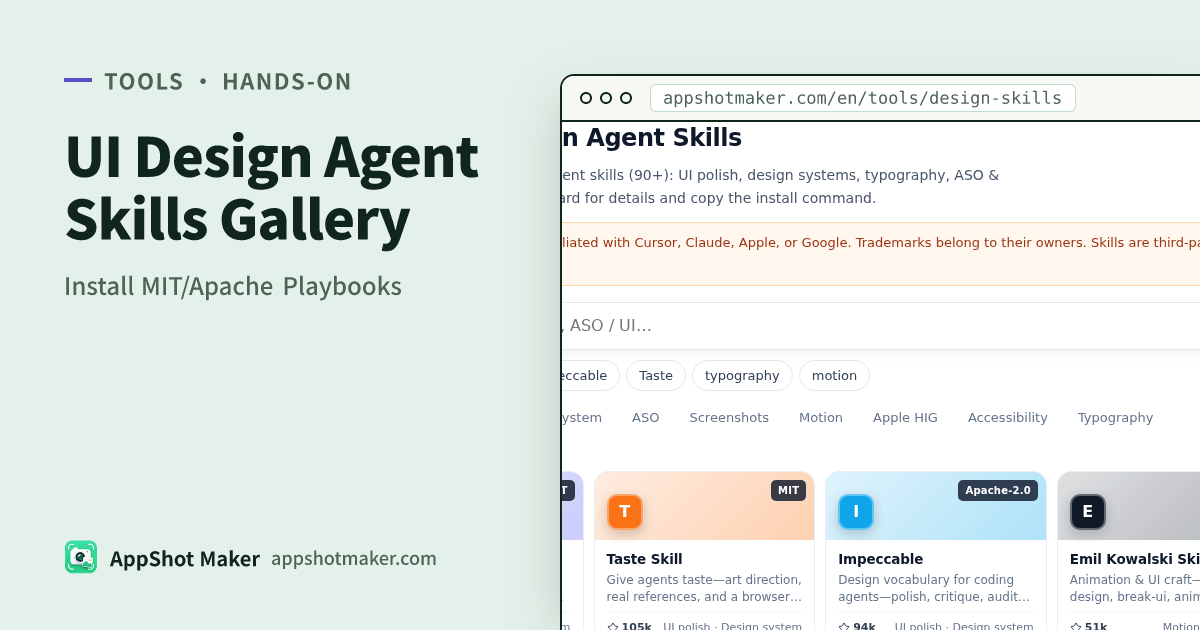
The open-source community already packaged craft into Agent Skills (usually a SKILL.md or installable package). When a task matches, the agent follows constraints instead of freestyling. AppShot Maker’s UI & ASO Design Agent Skills gallery curates about 98 high-signal entries marked MIT or Apache-2.0: filter by tag, open a detail page, copy the install command, and jump to GitHub. We host metadata only—not the skill file trees.
Who should use this gallery
| Job | Use the gallery? | Better alternative |
|---|---|---|
| Improve product UI with Cursor / Claude Code | Yes | Install UI polish / design-system skills |
| Tighten store screenshot copy and frame roles | Yes | Prefer tags for ASO / screenshots |
| Study competitor listing layouts | No | App Store screenshot inspiration gallery |
| Steal a brand’s landing-page tokens for AI | No | Brand design HTML references |
| Need cleared reaction art for promo | No | Commercial-use emoji library |
Hands-on: five minutes to first install
- Open the skills gallery. Search or filter (UI polish, design system, ASO, screenshots, motion, Apple HIG, accessibility).
- Open a card at
/en/tools/design-skills/[id]—overview, principles, install notes, licence badge. - Copy the install command (often
npx skills add owner/repo; some projects ship their own CLI such asuipro initorimpeccable install). Run it from your project root. - Follow the upstream README for Cursor vs Claude Code targets. Invoke with
/in Agent chat or let the agent auto-select when the description matches. - Re-check the upstream
LICENSEbefore production use—inclusion time is not forever.
Licence roll-up: /design-skills/LICENSES.txt. Wrong licence or takedown: use the contact page.
A practical install order for screenshot teams
Do not install dozens at once. Pick one to three for this week’s job:
| This week’s job | Prefer | After install |
|---|---|---|
| First-frame promise + five-frame story | ASO / screenshots tags | Lock sequence on a board, then let the skill critique copy |
| “Product UI” instead of template UI | UI polish / design system | Constrain palette and density, then export in the screenshot maker |
| Closer to Apple visual language | Apple HIG | Align control density and tone before capture |
| Type and accessibility | A11y / typography | Check contrast and Dynamic Type impact on safe zones |
Skills improve taste and procedure. Multi-size export and alpha stripping still belong in local tools such as the batch processor.
Licence and trademark caveats
- Inclusion bar: repos marked MIT or Apache-2.0 at curation time (roughly 93 MIT + 5 Apache-2.0 today). The live
LICENSEfile wins. - Trademarks are separate: Apple, App Store, Cursor, and similar marks are not granted by those licences—do not imply endorsement.
- No skill mirroring: stars, blurbs, and install hints are metadata; content stays on GitHub. Search and copy run in the browser.
- Corrections: contact us with the repo and reason; we update or remove after review.
How it chains with the rest of the toolbox
- Study category leaders in the screenshot inspiration gallery (internal reference only).
- Copy
:roottokens from a close mood in design refs into your AI prompt. - Install matching UI / ASO skills from this gallery.
- Produce listing frames in the free, browser-local screenshot workflow; optionally run screenshot compliance check.
Example: from purple-gradient UI to a constrained pass
Suppose your agent keeps emitting indigo-to-pink heroes. A workable loop:
- Install one UI polish skill and one design-system skill—not five competing taste packs.
- Paste three
:roottokens from design refs that match your product mood (radius, primary, surface). - Ask the agent to refactor the existing screen under the skill checklist: hierarchy, spacing scale, one accent, no decorative gradients unless the brand uses them.
- Capture the fixed UI, drop frames into the screenshot maker, and compare against two rivals from the inspiration gallery—judge structure (title length, device frame, proof placement), not pixel cloning.
That loop keeps skills in the “procedure” lane and galleries in the “evidence” lane.
Pitfalls
- Treating a skill as a finished App Store Connect upload—skills do not submit binaries or assets.
- Enabling overlapping aesthetic skills that fight each other—toggle by task.
- Never revisiting upstream releases after
npx skills add. - Looking for a paid “Pro” tier on this site—tools run locally in the browser at no charge.
Keeping skills updated without thrash
Pin a short internal note: skill id, install command, date added, and the one workflow it owns (for example “ASO frame critique” vs “spacing audit”). When upstream breaks your habits, update that note first, then the install—otherwise every engineer silently runs a different skill generation.
Checklist
- Filter to a short shortlist
- Confirm MIT or Apache-2.0 on the detail page
- Install from the project root
- Verify the agent actually loads the skill on a real UI/ASO task
- Use the gallery for playbooks, the inspiration tool for pictures, and design-refs for tokens—do not force one tool to do all three